
Bank Statement OCR Software for Scanned PDF Files
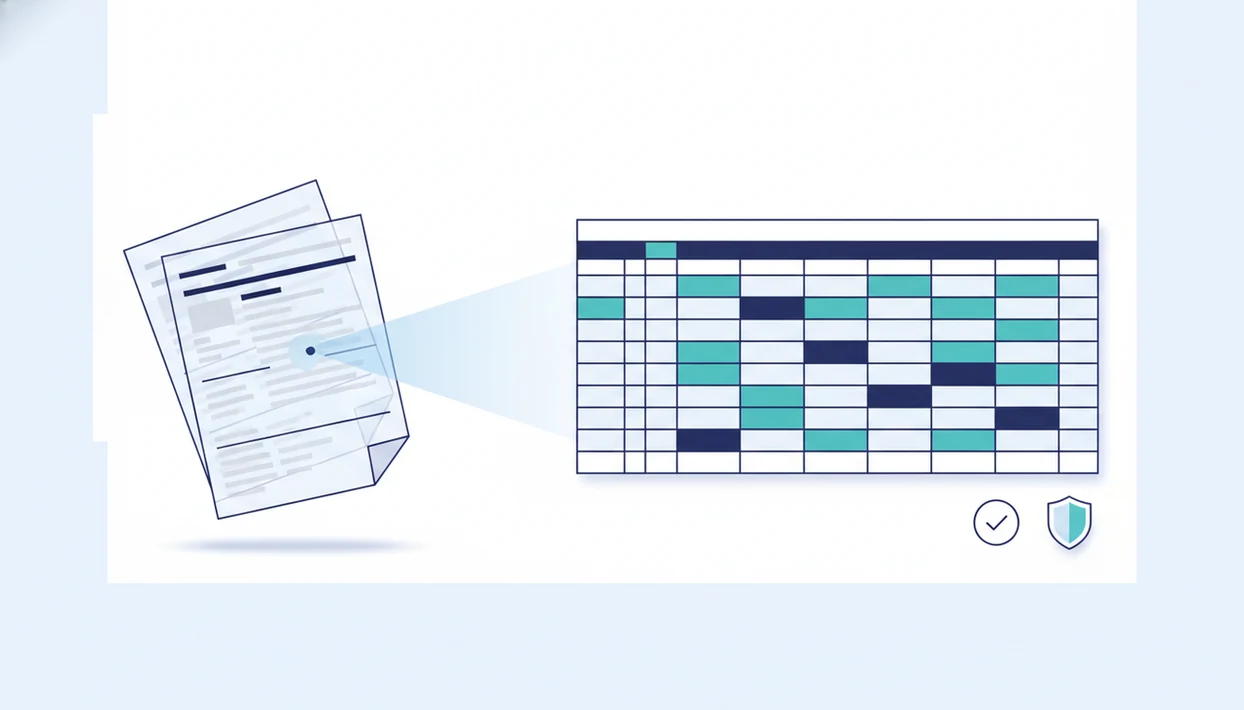
Effective bank statement OCR software reads scanned PDF statements, extracts transaction-level fields, and gives you validation checks before export to CSV, Excel, QBO, or accounting workflows. Evaluate these tools by field accuracy, scan handling, privacy, and accounting-ready outputs rather than generic OCR claims.
Definition: Bank Statement Converter App is a bank statement converter that turns PDF bank statements into CSV, Excel, and QBO files for small businesses, bookkeepers, and accountants.
- Choose bank-specific OCR that extracts dates, descriptions, debits, credits, balances, account details, and currencies, not just raw text.
- For scanned statement extraction, prioritize validation rules, multi-page table handling, and exports to CSV, Excel, QuickBooks, Xero, or ERP workflows.
- Security matters because bank statements contain sensitive data; prefer tools that process uploaded PDFs without credential scraping or long-term file storage.
Best Bank Statement OCR Software Shortlist for PDFs
The strongest shortlist for bank statement OCR includes specialized converters, document AI platforms, spreadsheet-connected tools, and cloud OCR APIs. The right choice depends on scan quality, output format, privacy requirements, and monthly document volume.
- Bank Statement Converter App: Fits small businesses, bookkeepers, and accountants who need CSV, Excel, and QBO exports from bank PDFs without storing uploads after processing.
- DocuClipper: Often used for statement-to-spreadsheet and bookkeeping workflows where users want structured transaction extraction.
- Docsumo: Better suited to higher-volume document operations, review queues, and custom extraction workflows.
- Lido-style spreadsheet workflows: Useful when the final review happens in Google Sheets or Excel.
- General cloud OCR APIs: Flexible for developers, but they usually need extra logic for balances, debit columns, and accounting imports.
If your priority is secure conversion into accounting-ready files, choose a statement-focused OCR tool that maps PDF fields into CSV, Excel, and QBO export workflows.
At-a-Glance Comparison of OCR Bank Statement Software
OCR bank statement software should be compared by transaction structure, not by text recognition alone. A blurred check image appendix may OCR as words, but that does not mean the deposit line on page three is ready for QuickBooks.
| Tool or category | Best use case | Scanned PDF support | Exports | Validation | Privacy posture |
|---|---|---|---|---|---|
| Bank Statement Converter App | Small business and bookkeeping conversion | Yes, when scan quality is usable | CSV, Excel, QBO | Field and review checks | No-upload-storage positioning |
| Specialized converters | Statement cleanup and reconciliation | Often yes | CSV, Excel, sometimes QBO | Varies by tool | Check retention policy |
| Docsumo and document AI | Enterprise document workflows | Yes | CSV, Excel, ERP integrations | Review queues and rules | Requires compliance review |
| Lido-style workflows | Spreadsheet-first teams | Depends on source | Sheets, CSV, Excel | Spreadsheet-based checks | Depends on connectors |
| Generic OCR APIs | Developer-built extraction | Yes | Raw text or JSON | Must be built | Depends on provider |
Good AI bank statement converter app tools deliver structured transaction rows, not a loose pile of recognized words.
Five Facts About AI Bank Statement OCR Accuracy
AI bank statement OCR accuracy depends on field extraction, layout understanding, and validation logic. A clean text layer is useful, but the converted output must still match the financial record.
- Fact 1: Bank statement OCR is not generic OCR because it must identify dates, descriptions, debits, credits, balances, account numbers, and currencies.
- Fact 2: AI models need to understand tables, multi-column layouts, running balances, and multi-page statements.
- Fact 3: Useful outputs include CSV, Excel, QBO, QuickBooks-compatible files, Xero-ready data, and ERP-ready exports.
- Fact 4: Secure processing should avoid bank credential scraping and unnecessary long-term storage of uploaded statements.
- Fact 5: Evaluation should include scan quality, language support, bank coverage, error reporting, and custom field handling.
For bookkeeping teams, field-level accuracy usually matters more than headline OCR accuracy because imports fail when dates, amounts, or signs are mapped incorrectly.
How Bank Statement OCR Software Works Behind the Scenes
Bank statement OCR software turns an image-based PDF into structured financial rows through preprocessing, text recognition, layout analysis, and validation. The process starts before any transaction is exported.
A scanned file such as `Chase Checking March 2022.pdf` may be de-skewed, cleaned for noise, split into pages, and passed through OCR text recognition. Then layout analysis identifies tables, columns, dates, descriptions, debit and credit amounts, running balances, account numbers, and currency codes. In plain terms, the system has to understand where the table is, not just read the letters.
Modern AI bank statement OCR performs better than rigid templates when banks change layouts or users upload rotated PDFs from an office scanner. Validation logic then checks balance continuity, duplicate rows, amount signs, and missing fields. For multi-page statements, a multi page bank statement converter workflow is especially important.
The progress bar can crawl. That is normal.
How to Use Scanned Statement Extraction Software
Use scanned statement extraction software by uploading the PDF, choosing an export format, reviewing flagged rows, and importing only after checking the converted output. Keep the original file for audit support, but avoid creating unnecessary copies.
- Upload the scanned bank statement PDF, such as `client-amex-jan.pdf`, from a trusted folder.
- Select the output format you need, usually CSV, Excel, or QBO.
- Review extracted dates, descriptions, debits, credits, balances, and flagged transactions.
- Correct obvious OCR issues, including missing decimals, reversed signs, or split descriptions.
- Export the cleaned file for reconciliation, spreadsheet review, or accounting import.
- Import the file into QuickBooks, Xero, or another system only after checking the original PDF.
The right fit for scanned PDFs is Bank Statement Converter App when your next step is a scanned bank statement to CSV workflow with review before import.
7 Criteria for Bank Statement OCR Software
The best evaluation framework for bank statement OCR starts with field-level accuracy, then checks scan handling, exports, privacy, and review controls. Generic OCR accuracy is not enough.
Two outside checks help ground the evaluation: NIST describes OCR as recognition of text in images and documents, which makes scan quality a core input (https://www.nist.gov/itl/iad/image-group/optical-character-recognition-ocr), and the FTC Safeguards Rule explains why financial data handling needs administrative, technical, and physical safeguards (https://www.ftc.gov/business-guidance/resources/financial-institutions-customer-information-complying-safeguards-rule).
- Field accuracy: Dates, descriptions, amounts, debit and credit columns, balances, and currencies must land in the right columns.
- Scanned PDF handling: Low resolution, skewed pages, shadows, stamps, handwriting, and screenshots should be tested.
- Multi-page tables: Statement periods often continue across pages, so row order matters.
- Export usefulness: CSV, Excel, QBO, QuickBooks, Xero, and ERP workflows need different column structures.
- Privacy: Look for secure upload handling, no credential scraping, and non-retentive processing where available.
- Validation: Balance checks, duplicate detection, and missing field flags reduce import surprises.
- Review screens: A user should be able to compare extracted rows against the source file.
Small teams often find that output structure matters more than raw OCR speed because the QuickBooks import screen still requires date, description, and amount mapping.
How We Evaluated Bank Statement OCR Software
We evaluated bank statement OCR software by reviewing public documentation, product positioning, export claims, privacy language, and feature coverage for scanned PDF workflows. Where a tool category depended on setup or custom implementation, we treated it as a feature review rather than a guaranteed hands-on result.
Our scoring favored the parts that create usable bookkeeping files, not just readable text:
- Check field accuracy for dates, descriptions, debits, credits, balances, account details, and currencies.
- Compare scanned PDF handling across rotated pages, low-contrast scans, screenshots, and multi-page statements.
- Review export options for CSV, Excel, QBO, QuickBooks, Xero, ERP, and spreadsheet import workflows.
- Look for validation controls such as balance checks, duplicate flags, missing fields, and side-by-side review.
- Assess privacy posture, including credential requirements, upload handling, retention claims, and access controls.
Scanned PDFs and multi-page statement tables were weighted heavily because they are common failure points. Accounting imports also received extra weight because a clean OCR read is still weak if the file needs manual rebuilding before QuickBooks or reconciliation. Output quality can vary by bank layout, image quality, file type, and statement complexity. The shortlist included focused bank statement converters, document AI platforms, spreadsheet-first tools, and generic OCR APIs; it excluded consumer budgeting apps, lending decision tools, and bank-login aggregators.
Best Bank Statement OCR Software for Secure CSV and QBO Exports
Bank Statement Converter App converts PDF bank statements into CSV, Excel, and QBO files for small businesses, bookkeepers, accountants, and finance teams. It is built for cleanup, reconciliation, transaction review, accounting import, and monthly close work.
Bookkeepers trying to finish a Friday afternoon reconciliation spreadsheet need a converted output they can compare against the original PDF. Bank Statement Converter App fits because it focuses on statement fields and accounting-ready exports rather than general PDF text extraction. The no-upload-storage positioning also matters for users who do not want sensitive bank PDFs retained after processing.
This is not personal finance advice, lending software, or a generic PDF utility. It is a conversion workflow for source files that need to become structured rows. If duplicate review is part of your close process, the related question is what app identifies duplicate transactions before import.
Best OCR Bank Statement Software for Enterprise Document Workflows
Enterprise document automation tools can be a better fit when bank statements are only one document type in a larger workflow. Docsumo and broader document AI platforms may support APIs, custom review queues, multi-document processing, and integrations with internal systems.
The tradeoff is implementation effort. Enterprise platforms often require setup, templates, API configuration, workflow rules, and security review before production use. They may also involve storage, access-control, and compliance questions that a finance or IT team must approve. According to McKinsey, AI in banking could create hundreds of billions of dollars in annual value through productivity and automation, including document-heavy processes source.
On days a controller receives a zip file named `old checking PDFs`, a focused bank statement converter earns its spot, while enterprise platforms fit broader document pipelines with custom routing and approvals.
Best AI Bank Statement OCR for Spreadsheet-First Teams
Spreadsheet-first teams need clean rows they can filter, sort, annotate, and reconcile. Analysts, operations teams, and bookkeepers may prefer Excel or Google Sheets when the goal is manual review rather than direct accounting import.
Lido-style or spreadsheet-connected workflows can work well when users want formulas, pivot tables, and shared review. A salon owner may place receipts beside bank PDFs, then ask a bookkeeper to sort card fees and deposits in Excel. That is a real use case.
Spreadsheet-only workflows have risks. Formula errors, version conflicts, missing validation, and weak audit trails can create problems later. For accountants, QBO or structured CSV is often better than a plain spreadsheet because accounting imports need stable date, description, and amount fields. Deposit and withdrawal review is covered in more detail in what app identifies deposits and withdrawals.
Bank Statement Converter App is a practical fit when spreadsheet review is only the middle step because it can export CSV and Excel, then support QBO preparation when the workflow moves into accounting software.
Common Myths About Scanned Statement Extraction Tools
Scanned statement extraction tools are useful, but several myths lead buyers to choose weak software. The safest assumption is that OCR results should be reviewed against the original PDF.
- Myth: Bank statement OCR is always 100% accurate. No OCR tool can guarantee that across every bank, layout, language, currency, and scan quality.
- Myth: Scanning to PDF is the same as AI bank statement OCR. A scan is only an image; extraction requires table and field recognition.
- Myth: OCR software requires bank login credentials. PDF-based OCR can process uploaded statements without bank passwords or screen scraping.
- Myth: Generic OCR is automatically enough. Generic OCR may read text but miss transaction-ready columns.
- Myth: Extracted data is safe to import without review. Ending balances, signs, and duplicate rows still need checking.
For high-stakes workflows, scanned statement OCR works best when extraction and validation are treated as separate steps.
Limitations
Bank statement OCR software has real limits, especially with poor scans and unusual statement formats. Review is still part of the workflow.
- No OCR tool guarantees 100% accuracy across every bank, layout, language, currency, and scan quality.
- Low-resolution scans, skewed pages, shadows, handwriting, stamps, and screenshots can reduce extraction quality.
- Running balances, negative signs, debit and credit columns, and multi-currency accounts can be misread without validation.
- Generic OCR may output text but not accounting-ready transaction rows.
- Human review is still needed for audits, underwriting, fraud reviews, and high-value decisions.
- Bank login scraping and long-term file storage may create additional security and compliance concerns.
- Some enterprise platforms require setup, templates, APIs, or workflow configuration before useful production output.
- Competitors such as bankstatementconverter.com, bankstatementconverters.ai, docparser.com, pdftables.com, and convertcsv.com may fit some workflows, but privacy terms, output formats, and validation depth vary.
The final check is boring. It also catches mistakes.
FAQ
What is bank statement OCR software?
Bank statement OCR software reads PDF or scanned bank statements and converts financial fields into structured data. Typical outputs include CSV, Excel, QBO, or accounting-ready files.
Can OCR read scanned bank statements from a PDF?
Yes, OCR can read scanned bank statements if the scan quality is sufficient and the tool supports image-based PDFs. Blurry pages, skew, shadows, and low contrast can reduce accuracy.
Is AI OCR more accurate than template OCR for bank statements?
AI OCR is often more adaptable than template OCR for changing layouts, multi-column tables, and bank-specific transaction fields. Template OCR can work well when every statement follows the same fixed format.
What fields should bank statement OCR extract?
Bank statement OCR should extract transaction date, description, debit, credit, amount, balance, account number, statement period, and currency. Some workflows also need check numbers, categories, or custom fields.
Can bank statement OCR export to QuickBooks or QBO?
Some bank statement OCR tools export to QBO or QuickBooks-compatible formats. Others only provide CSV or Excel, which may require manual column mapping before import.
Does bank statement OCR need my bank login?
PDF-based bank statement OCR does not need your bank login. It works from uploaded statement files rather than bank credential scraping.
Is it safe to upload bank statements to OCR software?
Safety depends on upload encryption, retention policy, credential handling, access controls, and whether files are stored after processing. Review those terms before uploading sensitive bank statements.
Why do OCR errors happen on bank statements?
OCR errors happen because of scan quality, layout complexity, unusual columns, handwriting, low contrast, and ambiguous amount signs. Multi-page tables and running balances can also create extraction mistakes.
Should I review OCR results before importing them?
Yes, you should review extracted transactions, balances, and flagged errors before importing OCR results. The converted file should be verified against the original PDF.