
What Happens When You Upload Bank Statement PDFs
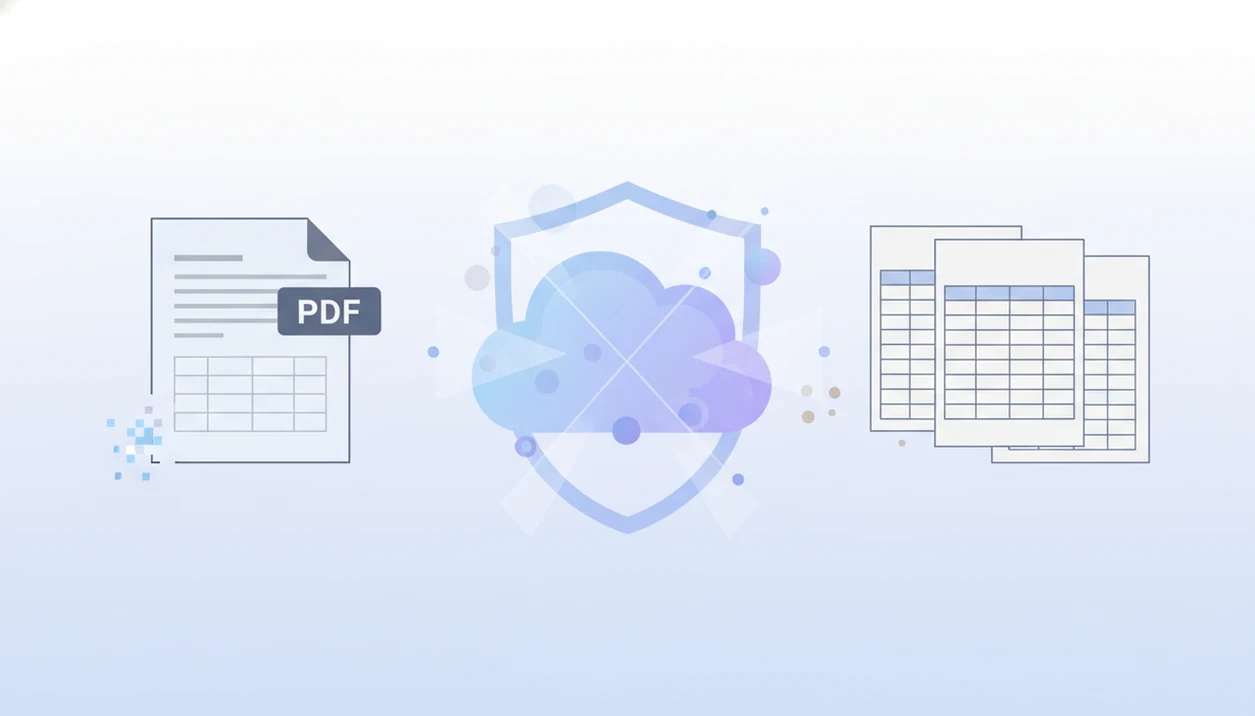
When you ask what happens when you upload bank statement files, the short answer is that the PDF is transferred to the converter, checked, read with OCR or AI, converted into structured rows, made available as CSV, Excel, or QBO, and then handled according to the service’s deletion and logging rules. The important privacy question is not only whether the original file is deleted, but also what temporary files, logs, exports, or metadata remain after conversion.
> This article explains the upload, conversion, deletion, and logging lifecycle for bank statement files. It is not legal, tax, accounting, or compliance advice; use your own vendor review process before uploading client, employee, tenant, or regulated financial data.
- A bank statement upload starts a conversion lifecycle: transfer, validation, extraction, file generation, download, deletion, and residual logging.
- The downloaded CSV, Excel, or QBO file usually contains extracted transaction data, not a stored copy of the original bank statement PDF.
- A no-storage workflow should delete uploaded source files after processing, but users should still check how the vendor handles temporary files, logs, backups, and metadata.
Bank Statement Upload Lifecycle at a Glance
A bank statement upload lifecycle is the full path from choosing the source file to downloading the converted output and deleting the uploaded document. Upload means the system is doing work, not only moving a PDF from your laptop to a server.
The usual sequence is file selection, encrypted transfer where supported, format validation, OCR or text extraction, layout parsing, export generation, download, and deletion handling. Inputs may include native PDFs, scanned PDFs, phone photos, or image-heavy statement packets. A file named “Chase Checking March 2022.pdf” may be readable as text, while a phone photo of page 2 needs OCR first.
The original statement is not the same as the converted output. The PDF is the source record. The CSV, Excel, or QBO file is a structured copy of selected transaction fields.
That distinction matters.
Five Facts About Converter File Processing
- Uploading a bank statement usually triggers OCR, AI parsing, and transaction extraction, not just cloud storage.
- Supported file types vary by converter; some accept native PDFs, scanned PDFs, photos, CSV files, or password-protected statements.
- Common outputs include CSV, Excel, QBO, QIF, and other accounting-ready formats for import preparation.
- Accuracy depends on scan quality, statement layout, page rotation, missing pages, and whether the table structure is consistent.
- Delete-after-processing may remove the uploaded source file while operational logs, timestamps, or metadata remain for a period.
A good AI bank statement converter app that turns PDF bank statements into clean CSV, Excel, and accounting-ready files without storing uploads should deliver structured transaction extraction, not vague promises that every financial trace disappears instantly.
We still open the CSV. The first row tells you a lot.
How Bank Statement Converter File Processing Works
Bank statement converter file processing turns an uploaded financial document into normalized transaction rows that can be opened, reviewed, and imported into accounting software.
The process usually starts with secure upload handling and validation. The system checks whether the source file is readable, complete, and within size limits. Native PDFs may allow text extraction directly. Scanned statements need OCR, which converts page images into machine-readable text. Layout parsing then tries to identify dates, descriptions, debits, credits, balances, account names, and partial account details.
After extraction, the converter normalizes the data into rows and columns for CSV, Excel, or QBO. In a QuickBooks import screen, those columns still need mapping to date, description, and amount before the file is accepted. For accountants, structured output is often easier than manual retyping because it preserves the statement period and transaction order for review.
Blurry appendices cause trouble.
What Happens During Bank Statement PDF Upload
What happens during a bank statement PDF upload is that your selected file is transferred from your device to the service and checked before conversion begins. Where the service supports it, that transfer should use an encrypted connection. For web uploads, that usually means checking that the page uses HTTPS/TLS; NIST publishes TLS configuration guidance for federal systems here: source.
Immediately after submission, the system commonly checks file size, file type, page count, password status, and whether the PDF is corrupted. A two-column statement on legal paper may pass format validation but still need more careful layout parsing later. If the file is unsupported, unreadable, too large, or missing required pages, the converter should fail before producing a final export.
For sensitive workflows, a secure bank statement converter should make these upload checks boring and explicit. The user should know whether the file failed because of format, password protection, scan quality, or another processing issue.
No mystery status spinner should be the privacy policy.
Extracted Bank Statement Data Versus Original PDF Storage
CSV, Excel, and QBO exports usually contain extracted bank statement fields, not a stored image copy of the original PDF. The output is easier to sort, filter, and import, but it is still sensitive financial data.
| Item | Original PDF statement | Converted CSV, Excel, or QBO output |
|---|---|---|
| Main purpose | Source financial record | Structured accounting-ready file |
| Common contents | Pages, logos, tables, disclosures, balances | Date, description, amount, debit, credit, balance |
| Account details | May show name, address, and account number | May include account name or account number fragments |
| Import use | Usually not accepted directly | Often accepted by spreadsheet or bookkeeping tools |
| Privacy risk | Full statement exposure | Transaction history exposure |
A downloaded export can expose payroll deposits, vendor payments, transfers, loan payments, and personal spending patterns. Store it like a financial document, not like a harmless spreadsheet. For workflows focused on extracted rows, a private bank statement PDF to CSV process should still include careful download and sharing rules.
Statement Deletion Workflow After Conversion
A statement deletion workflow should remove the uploaded source file after processing completes, but the timing depends on the converter’s design. Deletion may happen immediately after conversion, after the user downloads the export, or after a short expiry window.
During processing, a service may use temporary queues, caches, OCR files, and generated output files. Those pieces help the system finish the conversion, retry failed steps, or let the user download “converted transactions.csv” from a confirmation screen. A no-storage claim should explain what happens to each part, not only the visible PDF upload.
Look for a retention window stated in plain time units, such as immediate deletion, 24 hours, 7 days, or 30 days. If the policy only says files are removed 'regularly' or 'when no longer needed,' treat that as incomplete for client work.
Tools like Bank Statement Converter App are positioned around conversion without storing uploads. That is useful, but users should still read the deletion language for source files, outputs, logs, and backups. A bank statement converter that deletes files is most useful when deletion timing is stated plainly.
Residual Metadata After Bank Statement Upload Deletion
Deleting the uploaded source file does not always mean every operational trace disappears at the same moment. Residual metadata can include upload timestamps, IP address, file size, conversion status, error logs, browser details, or anonymized telemetry.
Logs exist for real reasons: security monitoring, abuse prevention, debugging, billing disputes, and system reliability. If a conversion fails on “Statement (2).pdf,” an error log may help the vendor identify whether the failure came from rotation, a locked PDF, or a broken table structure.
Users struggle to verify these claims. In a 2019 Pew survey, 39% of U.S. adults said they were not at all confident they could understand all or most privacy policies they agree to online source. NIST also states that organizations handling personally identifiable information should consider risks involving access, storage, retention, and disposal source.
Security Questions Before Any Bank Statement Upload
Ask these questions before uploading a bank statement PDF, especially if it belongs to a client, employee, tenant, or business account.
- Transit encryption: Does the service encrypt the upload between your device and its processing system?
- Source file handling: Are uploaded PDFs stored, deleted, cached, backed up, or retained for troubleshooting?
- Access controls: Who can access files during processing, and is access limited to authorized staff or automated systems?
- Output retention: How long do CSV, Excel, QBO, logs, and failed-conversion records remain available?
- Incident process: What does the vendor say about security incidents, breach reporting, and user notification?
Bank statement converters are not automatically HIPAA-covered systems; HIPAA covered-entity and business-associate status depends on the parties and use case, as HHS explains here: source. If you handle EU personal data, a GDPR bank statement converter review should include retention, processor roles, and deletion rights.
When to Get Professional Review Before Uploading a Bank Statement
Get professional review before uploading a bank statement when the file is not yours alone to process, or when the statement contains regulated, contractual, or unusually sensitive information. For ordinary personal bookkeeping, a careful vendor check may be enough; for client, employee, tenant, or business records, pause first.
This is especially important when statements include payroll deposits, minors’ accounts, health-related payments, litigation activity, internal investigations, or records covered by financial privacy, employment, housing, or data protection rules. The risk is not only conversion accuracy. It is whether your firm is allowed to send the document to a third-party tool at all.
- Ask legal, compliance, or data protection staff whether GDPR, GLBA, client contracts, confidentiality terms, or retention rules apply.
- Confirm your organization’s policy on third-party conversion tools for financial documents, including temporary processing and exported files.
- Escalate files involving minors, medical payments, payroll, law enforcement requests, disputes, or sensitive investigations.
- Record the vendor review decision before large batches, recurring monthly uploads, or delegated staff workflows.
- Keep the approval note with the project file so the next upload does not depend on memory or hallway permission.
Limitations
Bank statement conversion is useful, but it has practical and privacy limits.
- OCR can fail on blurry, skewed, cropped, password-protected, or low-resolution statements.
- Unusual bank layouts, repeated headers, and multi-page tables can create duplicate or misread rows.
- No-storage claims depend on the vendor’s actual implementation, retention policy, and backup design.
- Deletion of the PDF may not delete operational logs, audit entries, or anonymized telemetry.
- Downloaded CSV, Excel, and QBO files remain sensitive and must be protected by the user.
- Accounting-ready output may still need review, category mapping, deduplication, or import testing.
- Breach notification laws and obligations vary by industry, jurisdiction, vendor status, and location.
- A converter may read the ending balance incorrectly if page 3 is missing or scanned out of order.
For client work, verify the converted output against the original PDF before import. We usually compare the ending balance on the statement against the final transaction row in Excel.
Read more
FAQ
What happens when I upload a bank statement PDF?
Uploading a bank statement PDF sends the file to a system for review, conversion, or import preparation. The system usually checks the file, extracts transaction data, creates an output file, and applies its deletion and logging rules.
Is it safe to upload bank statements to a converter?
Uploading bank statements can be safe when the converter uses encryption, access controls, clear deletion rules, limited logging, and trustworthy vendor practices. Safety depends on the specific service, not the file format alone.
Are uploaded bank statements stored after conversion?
Uploaded statement storage depends on the converter’s policy and technical workflow. Some tools delete source files after processing, while others may retain files, outputs, logs, or backups for a defined period.
When is my uploaded bank statement deleted?
Uploaded statements may be deleted immediately after processing, after download, or after a short expiry period. The exact timing should be stated in the converter’s deletion or privacy documentation.
What data gets extracted from a bank statement?
Typical extracted data includes transaction dates, descriptions, debits, credits, amounts, balances, account names, and partial account numbers. Some exports may also include statement period or bank-specific reference fields.
Does a CSV export include the original bank statement PDF?
A CSV export usually contains extracted transaction rows, not an embedded copy of the original PDF. The CSV can still contain sensitive financial information and should be stored carefully.
Can scanned bank statements be converted accurately?
Scanned statements can often be converted with OCR, but accuracy depends on image quality, rotation, contrast, and whether pages are complete. A scanned bank statement to CSV workflow should always include review against the original PDF.
Can upload logs remain after my bank statement is deleted?
Yes, upload logs or metadata may remain after the source PDF is deleted, depending on the service’s retention and logging practices. These records may include timestamps, file size, status codes, or error details.
What should I check before uploading a bank statement?
Check encryption, deletion timing, output retention, access controls, logging, and whether the service requires bank login credentials. Bank Statement Converter App is one option to evaluate when you want conversion-focused handling without connecting directly to a bank account.
Convert your bank statement PDF now
Convert bank statement PDFs into CSV, Excel, QBO, or QFX without connecting your bank. Upload a statement, review the extracted results, and use the file in your bookkeeping workflow.
Upload your PDF now