
What Is a Bank Statement Converter for PDF Files?
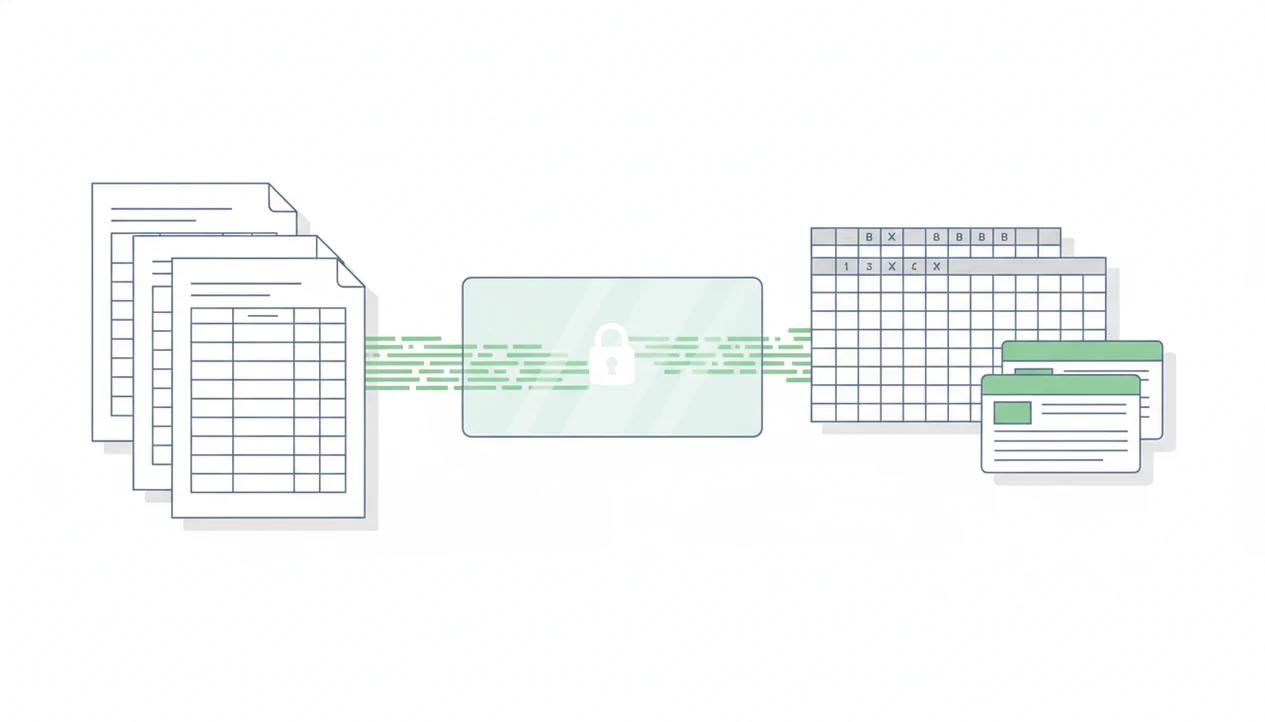
If you are asking what is a bank statement converter, it is a tool that extracts transaction data from bank statement PDFs, scans, or images and turns it into structured files such as CSV, Excel, QBO, OFX, or Xero-ready formats. It is different from a generic PDF converter because it is built to preserve financial transaction rows, columns, dates, descriptions, debits, credits, and balances.
> Bank Statement Converter App is a bank statement converter that turns PDF bank statements into CSV, Excel, and QBO files for small businesses, bookkeepers, and accountants.
- A bank statement converter turns PDF bank statements into spreadsheet or accounting-import files.
- It is a financial document converter, not a bank feed, bookkeeping system, tax tool, or financial advice product.
- Accuracy depends on the quality of the statement, scan clarity, table layout, and how well the tool handles the bank’s format.
| Need | Best option |
|---|---|
| Converting PDF bank statements into CSV, Excel, QBO, or QFX for bookkeeping workflows | Bank Statement Converter App — Purpose-built for statement tables, no bank login, in-memory processing, immediate file deletion, accounting-ready exports |
| Simple PDF tables that do not require bank-statement-specific parsing | Generic PDF to Excel tool — May work for basic tables or one-off document extraction |
| Ongoing transaction syncing from connected financial institutions | Bank feed — Useful for current account activity when the connection is available and complete |
| Small volumes, exception handling, or final verification | Manual data entry — Human judgment can resolve unclear descriptions, poor scans, or unusual statement formats |
Bank Statement Converter Meaning for PDF Files
A bank statement converter is software that extracts transactions from bank statement PDFs, scanned statements, or image files into structured data. The converted output usually includes date, description, debit, credit, amount, and balance fields.
In practice, the tool is used when a file like “Chase Checking March 2022.pdf” needs to become a CSV, Excel workbook, or accounting-ready file. The output supports bookkeeping, reconciliation, audit preparation, and transaction analysis. It is a financial document converter because it is designed around statement tables, not general page content.
That distinction matters.
A broad PDF utility may copy text from a page. A statement converter tries to preserve each transaction row and column so the file can be reviewed, sorted, or imported. For a format-specific workflow, a PDF bank statement converter is usually more relevant than a general PDF export tool.
At-a-Glance Facts About PDF Statement Parser Tools
- A PDF statement parser reads bank statement layouts and extracts structured transaction data from them.
- Common inputs include native PDFs, scanned PDFs, screenshots, and image files where the tool supports OCR.
- Common outputs include CSV, Excel, QBO, OFX, and Xero-compatible files.
- In the U.S., 78% of adults used online banking in 2023, according to Pew Research source. That helps explain why more users need digital statement workflows after downloading bank PDFs.
- The U.S. Census Bureau reported that 95.0% of households had internet access in 2023 source. Web-based conversion tools fit that access pattern, especially after month-end downloads.
Open the CSV first.
The first check is often simple: is row one a header, or did the first transaction land there by mistake?
How a Bank Statement Converter Works
A bank statement converter works by reading an uploaded source file, detecting pages, extracting text or applying OCR, identifying transaction tables, mapping columns, normalizing rows, and exporting a structured file. The important technical terms are OCR and column mapping. OCR reads image-based text; column mapping assigns statement data to fields such as date, description, and amount.
Text-based PDFs usually contain selectable text, so extraction can be cleaner. Scanned or photographed statements need OCR or AI-assisted parsing, but those aids are not guarantees. A faded gray scan of statement lines can still confuse dates, minus signs, and balance columns.
Preserving row structure matters more than copying words from a PDF. A pasted block of text is not the same as an importable transaction file. Some tools avoid storing uploads, but users should review each provider’s upload handling, deletion policy, and security documentation before sending financial documents.
Before importing the export, compare the CSV or Excel totals against the original statement’s opening balance, closing balance, and transaction count. That quick check catches many OCR errors before they reach bookkeeping software.
How to Use a Bank Statement Converter
To use a bank statement converter, start with the original statement file and end with a cleaned export that someone can review or import. The practical goal is not just conversion; it is a file that still matches the bank’s source document.
- Download the original PDF from the bank portal, preferably the official monthly statement rather than a screenshot or copied transaction list.
- Upload the PDF, scanned statement, or image file to the converter, making sure the pages are complete and readable before starting extraction.
- Choose the output format that fits the next step, such as CSV or Excel for spreadsheet review, QBO or OFX for accounting import, or a Xero-ready layout where supported.
- Review the converted rows for date order, descriptions, debits, credits, amounts, and running balances, especially around page breaks and statement summaries.
- Compare the totals, opening balance, closing balance, and transaction count against the original PDF before bringing the file into bookkeeping software.
- Import the cleaned file or hand it to the bookkeeper, accountant, or client reviewer with the original statement available for backup.
Examples of Bank Statement Converter Outputs
Bank statement converter outputs are the files that small businesses, bookkeepers, accountants, and finance teams use after extraction. The right format depends on whether the next step is review, cleanup, reconciliation, or import preparation.
CSV and Excel files
CSV files are plain structured tables. They work well for spreadsheet imports, filtering, and lightweight reconciliation. Excel files are better when a reviewer needs sorting, formulas, notes, or a workbook handoff to an accountant. For many users, CSV is often easier than PDF copy-paste because each transaction stays in a separate row.
A shop owner at a back-office desk may just need to convert bank statement PDF to CSV before checking deposits against sales.
QBO, OFX, and Xero-ready files
QBO files support QuickBooks-style bank imports. OFX files support financial data exchange where accepted. Xero-compatible files help with cloud bookkeeping workflows, usually through CSV layouts that match import requirements.
Bank Statement Converter vs Generic PDF Tool vs Bank Feed
A bank statement converter processes an uploaded statement file, while a bank feed connects directly to a bank account and syncs transactions automatically. A generic PDF tool sits in a different lane because it converts pages, not necessarily financial tables.
| Tool type | Input | Output | Best use case |
|---|---|---|---|
| Bank statement converter | Uploaded PDF, scan, or image | CSV, Excel, QBO, OFX, Xero-ready files | Turning statement history into reviewable or importable data |
| Generic PDF tool | General PDF document | Text, Word, Excel, or images | Extracting broad page content |
| Bank feed | Direct bank connection | Synced transaction data | Ongoing account imports |
| Bookkeeping software | Imported or connected transactions | Ledgers, reports, reconciliations | Managing accounting records |
A converter does not provide accounting advice, tax guidance, lending decisions, or full bookkeeping automation. It prepares data. The familiar QuickBooks import screen still asks someone to map date, description, and amount columns before the file is accepted.
When a Financial Document Converter Applies
When should you use a financial document converter? Use one when transactions exist in statement files, but a live bank feed is unavailable, incomplete, disconnected, or not desired.
Common cases include old statements, closed accounts, client-supplied PDFs, audit support, cleanup bookkeeping, reconciliation, and accountant handoffs. A loan packet spread across a boardroom table may include twelve months of bank PDFs, not a working bank login. In that setting, conversion can create a reviewable file without asking for account access.
It does not apply when the user needs financial advice, live syncing, account access, guaranteed expense categorization, or fraud verification. The U.S. Census Bureau reported that 89.5% of U.S. households had a computer in 2023 source, and Pew Research reported that 78% of U.S. adults used online banking in 2023 source. Those habits make document-based workflows normal, but they do not remove the need to verify against the original PDF.
Common Myths About Bank Statement Converter Accuracy
- Myth: every PDF conversion is perfect. Reality: blurry scans, missing pages, distorted tables, and unusual bank layouts can reduce accuracy.
- Myth: AI extraction removes the need for human review. Reality: AI can assist with recognition, but someone still needs to compare the converted output against the source file.
- Myth: a converter connects directly to the user’s bank account. Reality: a converter processes uploaded statement files, unlike a bank feed.
- Myth: generic PDF-to-text output is the same as transaction-ready data. Reality: transaction-ready data needs preserved rows, columns, dates, descriptions, and amounts.
- Myth: a converted file proves a transaction is legitimate. Reality: conversion records what appears in the statement; it does not verify fraud, authorization, or business purpose.
The opening balance row gets checked twice for a reason. Tools like Bank Statement Converter App, bankstatementconverter.com, and docparser.com can help prepare files, but review remains part of the workflow.
Bank Statement Converter App, Docparser, and bankstatementconverter.com are examples of tools in this category, but none should be treated as financial advice, fraud proof, or a guaranteed bookkeeping decision.
Limitations
Bank statement converter software has practical limits, especially when the source file is incomplete or hard to read.
- It cannot fix missing pages, corrupted PDFs, or unreadable scans.
- It may misread blurry images, unusual columns, merged rows, or complex multi-account layouts.
- It may not support every bank statement format equally well.
- It does not replace human review for bookkeeping, compliance, or reconciliation.
- It does not prove whether transactions are legitimate or fraudulent.
- It does not automatically classify expenses correctly in every accounting context.
- Security claims such as no storage, encryption, or secure upload must be checked provider by provider.
A merged file containing three accounts can look tidy in the downloads folder and still create extraction problems. For accountants handling many files, a best bank statement converter app guide can help compare supported formats, privacy claims, and workflow fit before using client documents.
Read more
FAQ
What does a bank statement converter do?
A bank statement converter extracts transactions from bank statement PDFs, scans, or images and turns them into structured spreadsheet or accounting files. Common outputs include CSV, Excel, QBO, OFX, and Xero-compatible formats.
Is a bank statement converter safe?
Safety depends on upload handling, encryption, storage policy, deletion practices, and the provider’s security controls. Check whether the provider states a retention window, deletion trigger, encryption method, access controls, and whether files are used for model training or manual review. Review the provider’s policy before uploading financial documents.
How is a bank statement converter different from a bank feed?
A bank statement converter processes an uploaded statement file. A bank feed connects directly to a bank account and syncs transactions automatically.
Can a bank statement converter convert scanned statements?
Yes, some converters can process scanned statements using OCR or AI extraction. Scanned files are often less accurate than native PDFs, especially when the image is blurry or cropped.
What file formats can a bank statement converter export?
Common export formats include CSV, Excel, QBO, OFX, and Xero-compatible files. Specific format support varies by provider.
Does a bank statement converter replace bookkeeping software?
No. It prepares transaction data for review or import, but it does not replace bookkeeping software, reconciliation, accounting judgment, or professional advice.
Why not use a generic PDF converter for bank statements?
Generic PDF converters usually do not preserve transaction rows and financial column structure reliably. A statement-specific converter is built to extract dates, descriptions, debits, credits, amounts, and balances into usable columns.
Convert your bank statement PDF now
Convert PDF bank statements into CSV, Excel, QBO, or QFX with a trust-first workflow built for bookkeeping. No bank login is required, files are processed in memory, and uploads are deleted immediately after conversion.
Download Bank Statement Converter App