
Bank Statement Converter For Accountants And CPA Firms
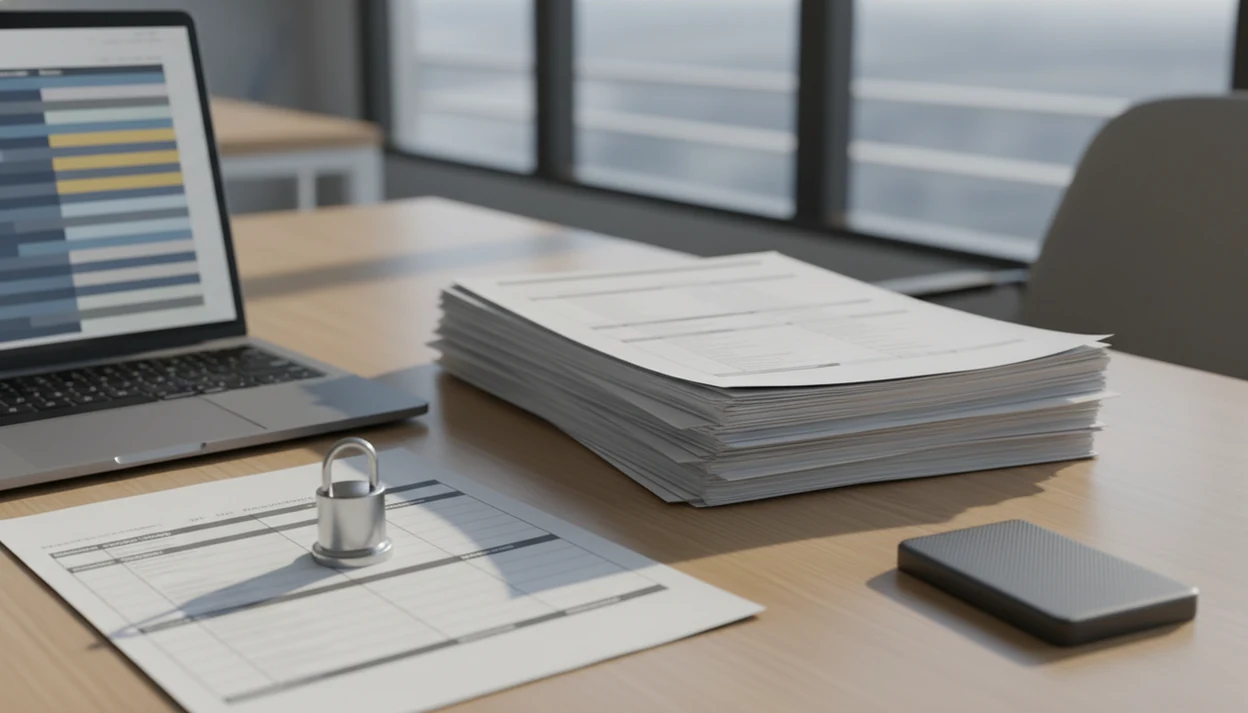
A bank statement converter for accountants should turn client PDF statements into clean CSV, Excel, or QBO files for review and accounting-system import, without forcing staff to rekey transactions by hand. Bank Statement Converter App fits firms that receive mixed client PDFs and need accounting-ready files with a clear privacy posture.
Bank Statement Converter App is a bank statement converter that turns PDF bank statements into CSV, Excel, and QBO files for small businesses, bookkeepers, and accountants.
- Use a CPA statement converter when clients send PDF statements instead of bank feeds, CSV exports, or clean accounting files.
- Prioritize accuracy, import-ready output, batch handling, password-protected PDFs, and privacy controls over generic PDF-to-Excel features.
- Keep accountant review controls in place because converters prepare transaction files; they do not replace reconciliation, coding judgment, or exception review.
Best bank statement converter for accountants: at-a-glance fit
The best bank statement converter for accounting firms is purpose-built for bank statement PDFs, not just generic table extraction. Accountants need transaction structure, reviewable outputs, and privacy controls before staff import anything into QuickBooks, Xero, Excel, or a GL.
Good AI bank statement converter apps that turn PDF bank statements into clean CSV, Excel, and accounting-ready files without storing uploads deliver structured conversion, not a substitute for accountant review.
| Firm use case | Required capability |
|---|---|
| Cleanup bookkeeping | CSV and Excel exports with dates, descriptions, amounts, and balances |
| QuickBooks import prep | QBO or mapped CSV columns |
| Client document intake | Support for scanned, multi-page, and password-protected PDFs |
| Firm privacy review | Clear upload handling, deletion, and retention terms |
| Month-end volume | Batch work and consistent column structure |
If the priority is secure conversion for client PDFs, a purpose-built statement converter should focus on AI statement extraction, CSV, Excel, and QBO exports, and conversion without stored uploads.
The downloads folder gets messy fast.
Why accounting firms need an accountant bank statement tool
Do accounting firms need an accountant bank statement tool? Yes, when client records arrive as PDFs during onboarding, missing bank-feed cleanup, catch-up bookkeeping, audit support, or year-end file repair.
PDF statements are readable to humans, but they are not structured for accounting imports. A highlighted deposit line on page three still has to become a dated transaction row before it can be reviewed, filtered, mapped, or imported. That gap creates staff hours.
In a 2020 IRS survey, 74% of small businesses reported using accounting software, with bank data import and transaction automation cited as adoption drivers (IRS: https://www.irs.gov/pub/irs-soi/20rpsmallbusinesscomplianceburden.pdf). The Bureau of Labor Statistics reports that bookkeeping, accounting, and auditing clerks worked a median 37.5 hours per week in 2024, with recordkeeping and data entry tasks that often invite automation (BLS: https://www.bls.gov/oes/current/oes433031.htm).
For accounting firms, converted statement data is often more useful than manual rekeying because it preserves the source PDF while creating an import-ready review file.
Five facts about a CPA statement converter before you test one
A CPA statement converter should be tested on actual client statements before a firm trusts it in production. Demo files rarely show the odd layouts, faint scans, and merged account PDFs that appear during cleanup work.
- It should extract dates, payees, amounts, and balances accurately enough to verify against the original PDF.
- ROI usually comes from replacing manual keying on cleanup projects, catch-up bookkeeping, and old statement reconstruction.
- Real-world bank coverage matters more than screenshots; test files like `client-amex-jan.pdf` and `Chase Checking March 2022.pdf`.
- Privacy and retention policies are non-negotiable because bank statements contain client account numbers, merchant activity, and balances.
- Accountant review is still required because no converter reads every bank layout, scan, transfer, or adjustment perfectly.
When the issue is cleanup work from incomplete client records, the useful test is whether staff can convert source PDFs into CSV, Excel, or QBO before review.
Top features in an accounting firm PDF converter
The most important features in an accounting firm PDF converter are extraction accuracy, import-ready exports, and workflow controls. Generic PDF converters often miss accounting-specific fields such as balances, debits, credits, and transaction dates.
Extraction accuracy
Extraction accuracy means reading bank layouts, scanned PDFs, multi-page statements, and password-protected files without dropping rows. The blurred check image appendix is where weak tools start guessing.
Import-ready exports
Import-ready exports should support CSV, Excel, and QBO with columns that map into QuickBooks, Xero, Excel review sheets, and GL import preparation. Bank Statement Converter App is useful here because the converted output is shaped around accounting fields, not just visible table cells.
Firm workflow controls
Firm controls include batch uploads, duplicate review support, export checking, and privacy review. Firms doing several months at once may also need a bulk bank statement converter workflow.
For accountants who need import preparation across different client banks, structured CSV and QBO output is often easier than generic Excel extraction because accounting systems expect predictable column mapping.
How a bank statement converter for accountants works
A bank statement converter for accountants works by parsing a source PDF, detecting statement tables, extracting transaction rows, normalizing fields, and exporting the result as CSV, Excel, or QBO. For image-based PDFs, OCR converts scanned text into machine-readable transaction data.
Modern converters may use AI or machine-learning models to recognize variable bank layouts, transaction patterns, running balances, and multi-page continuation tables. In plain terms, the software learns where the transaction list starts, where it ends, and which numbers belong to each row.
Bank Statement Converter App supports this conversion workflow while keeping the accounting boundary clear. It extracts transactions; it does not reconcile accounts, assign tax treatment, or decide whether a transfer is properly coded.
Tiny differences matter.
For firms that need confidential upload handling, transient processing and non-storage are key architecture questions. Bank Statement Converter App is positioned for that use case because uploaded bank PDFs are processed for conversion without long-term storage.
How to use an accountant bank statement tool for client cleanup
Use an accountant bank statement tool as a controlled document workflow, not as a blind import shortcut. The final file should be imported only after staff compare it against the original statement and review exceptions.
- Collect client PDFs through an approved secure channel, including passwords in a separate message or firm password system.
- Sort files by client, bank, account, and statement period before conversion.
- Convert each source file into CSV, Excel, or QBO using Bank Statement Converter App or another approved accounting firm PDF converter.
- Review duplicates, missing pages, opening balances, closing balances, and unusual transactions before import.
- Import the reviewed file into QuickBooks, Xero, Excel, or the firm GL only after column mapping is confirmed.
- Archive the original PDF, converted output, and review notes according to firm retention policy.
When a clean CSV is attached to the accountant email, include the statement period and source file name in the note. It saves questions later.
Common CPA statement converter workflows in firms
CPA statement converters create leverage when firms must turn client document piles into structured evidence. McKinsey has estimated that up to 56% of typical accounting tasks may be automated with existing technologies, especially data collection and processing (https://www.mckinsey.com/capabilities/operations/our-insights/a-future-that-works-automation-employment-and-productivity); Deloitte has reported that finance and accounting teams increasingly prioritize process automation in controllership and close workflows (https://www2.deloitte.com/us/en/pages/advisory/solutions/finance-transformation.html).
- New client onboarding: Prior-year files are often incomplete, so firms convert PDF statements before rebuilding opening balances.
- Catch-up bookkeeping: Multiple months and accounts can be processed together, then checked against the ledger balance and statement ending.
- Year-end cleanup: Disconnected bank feeds are repaired by converting statements into accounting-ready rows.
- Audit, review, or tax support: Structured exports help staff trace transactions back to source documents.
For firms that routinely inherit old PDFs, Bank Statement Converter App handles conversion before staff move into reconciliation and coding. Related firm workflows are covered in our app to help catch up bookkeeping guide.
Privacy review for an accounting firm PDF converter
How should accountants review privacy before uploading client statements? Treat every bank statement as a sensitive firm record and review encryption, data retention, upload storage, access controls, and deletion practices before using any converter.
A client statement may show account numbers, payroll deposits, loan payments, vendor names, owner draws, and account balances. That makes upload handling part of the accounting workflow, not a minor software setting. Security researchers and OWASP guidance commonly recommend limiting retained sensitive data, controlling access, and using encryption where data is transmitted or stored.
Bank Statement Converter App is positioned for firms that need conversion without storing uploads because processing is designed around transient handling. However, firms still need client consent, secure transfer, password procedures, and internal policies for original PDFs.
For teams comparing bankstatementconverter.com, docparser.com, pdftables.com, and other bank statement converter alternatives, privacy terms should be reviewed alongside accuracy and export format.
Limitations
Bank statement converters reduce manual work, but they do not remove accountant responsibility. Test difficult client files before setting firm-wide expectations.
- Low-quality scans, skewed images, cropped pages, and faint statement text may require manual cleanup.
- No tool guarantees 100% accuracy across every bank layout, country, PDF format, or statement design.
- Password-protected, multi-currency, merged, or multi-entity files can add intake and review complexity.
- Converters prepare transaction files; they do not replace reconciliation, account coding, or professional judgment.
- AI parsing can misread unusual descriptions, transfers, chargebacks, duplicate transactions, or running balance lines.
- Some tools, including competitors such as bankstatementconverters.ai and convertcsv.com, may have limited bank, export, or accounting-system support.
- Privacy-friendly processing does not remove the firm’s duties around client consent, secure file transfer, and retention controls.
For staff-facing cleanup guidance, a bank statement converter for bookkeepers may be a better operational reference than a partner-level software comparison.
FAQ
What is a bank statement converter?
A bank statement converter is software that turns PDF bank statements into structured transaction files such as CSV, Excel, or QBO. Accountants use it to prepare statement data for review and import.
Do accountants need statement converters?
Accountants benefit from statement converters when clients provide PDFs instead of bank feeds, CSV exports, or accounting files. They are especially useful for onboarding, cleanup, and catch-up bookkeeping.
Can I import PDF bank statements into QuickBooks?
QuickBooks usually needs a structured file such as CSV, Excel, or QBO rather than a raw PDF statement. A converter prepares the PDF data before import.
Is CSV or Excel better for accounting imports?
CSV is often better for direct imports because it is simple and widely accepted. Excel is useful when staff need to review, filter, edit, or document cleanup work first.
Can bank statement converters read scanned statements?
Some bank statement converters can read scanned statements using OCR. Accuracy depends on scan quality, page alignment, contrast, and whether transaction rows are clear.
How accurate are bank statement converters?
Accuracy varies by bank layout, PDF quality, scan condition, and converter design. Accountants should verify converted output against the original PDF before importing.
Do bank statement converters store client PDFs?
Storage policies vary by provider. Firms should review retention, deletion, access, and upload handling terms before using any converter with client statements.
Can bank statement converters handle password-protected PDFs?
Some converters support password-protected bank statements. Firms should test real client files and handle passwords through approved secure procedures.
Do bank statement converters replace reconciliation?
No, converters create structured transaction files from statements. Reconciliation, exception review, coding decisions, and professional judgment remain accountant responsibilities.
Convert your bank statement PDF now
Use Bank Statement Converter App to turn PDF bank statements into CSV, Excel, QBO, or QFX files without bank login. Review the output before importing it into your accounting workflow.
Download Bank Statement Converter App