
Is It Safe To Upload Bank Statement PDFs To A Converter?
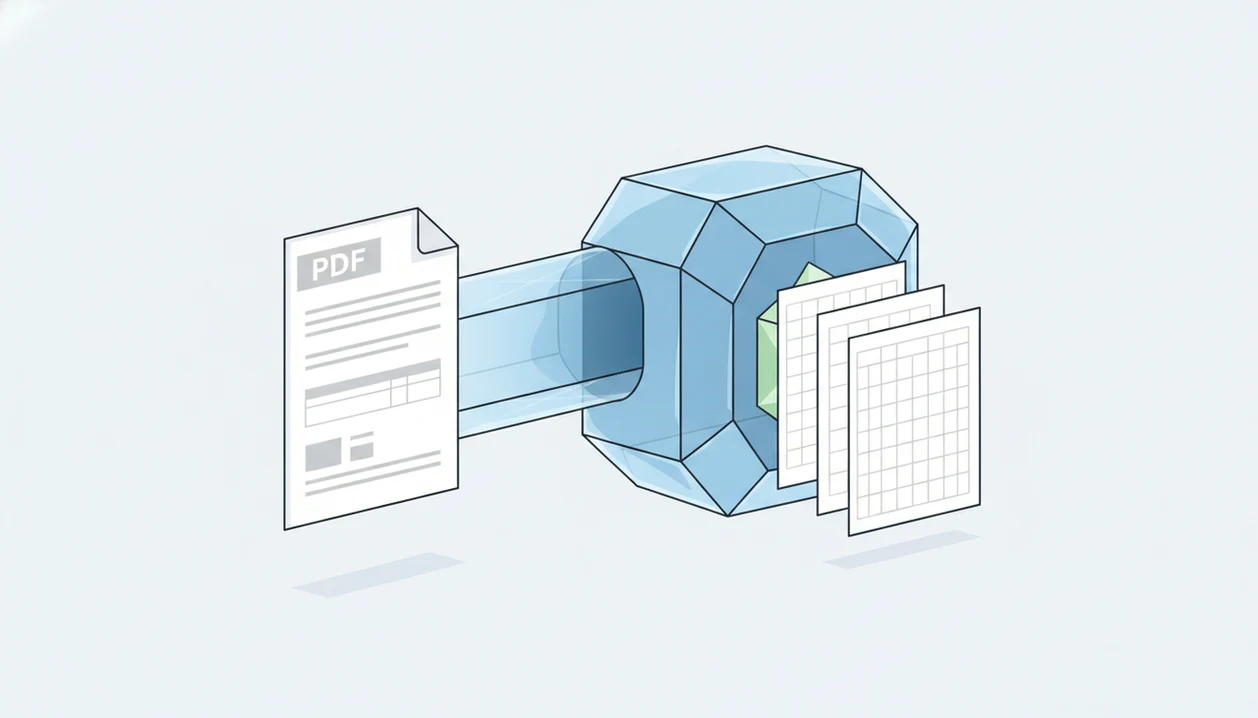
It can be safe to upload a bank statement only when the converter is purpose-built for financial documents, uses encryption, limits access, and clearly says it does not store or reuse your files. The safer question is not just “is it safe to upload bank statement” but “who receives the PDF, how is it processed, and when is it deleted?”
This is general security guidance for document handling, not legal, tax, accounting, or banking advice. If a statement includes disputed transactions, suspected fraud, or client data you are responsible for protecting, check with the bank, your accountant, or your firm’s security contact before uploading it anywhere.
> Bank Statement Converter App is a bank statement converter that turns PDF bank statements into CSV, Excel, and QBO files for small businesses, bookkeepers, and accountants.
- Uploading a bank statement is never zero-risk because statements contain account numbers, balances, names, addresses, and transaction history.
- Avoid uploading full bank PDFs to generic AI chatbots, unknown free converters, or services with unclear retention and training policies.
- A safer bank statement converter should use HTTPS/TLS, strict access controls, no training on uploads, and short or no file retention.
Safe bank statement PDF upload: the short risk answer
Uploading a bank statement PDF can be acceptable only when the recipient is a trusted, financial-document-specific converter with clear security and retention rules. It is not the same as uploading a lunch receipt or a blank form.
A bank statement usually contains your name, address, account details, balances, deposits, card payments, transfers, and merchant history. That is enough to support fraud, phishing, or social engineering if mishandled.
The risk changes by tool. A purpose-built converter should explain encryption, deletion, support access, and whether files train AI models. A generic chatbot or random free PDF site may not make those boundaries clear.
Open the privacy page before you open the upload box. That small pause matters.
Five facts about bank statement converter safety
- Bank statements expose more than account numbers. They can reveal identity details, balances, payroll deposits, rent payments, loan activity, and spending patterns. The FTC’s consumer security guidance treats financial account information as sensitive personal information that should be limited and protected source.
- Generic AI tools may retain more than users expect. In a 2023 to 2024 Harmonic Security analysis reported by Money.com, 4.37% of AI prompts contained sensitive information, and over 20% of file uploads to AI tools included sensitive data source.
- Safer converters minimize collection and storage. The safer pattern is short processing, limited access, no model training on uploads, and clear deletion of source files.
- Vendor details matter. Check company ownership, retention terms, third-party processors, jurisdiction, and any SOC 2, ISO 27001, GLBA-style, or similar security information.
- User precautions still count. Redact when possible, avoid public Wi-Fi, use strong account security, and protect the converted output.
For small accounting teams, a purpose-built converter is often safer than an all-purpose upload tool because the workflow is narrower and easier to audit.
Authoritative sources for bank statement upload safety
Authoritative safety guidance comes from regulators and standards bodies first, then from the converter’s own privacy page. The FTC frames financial account and identity details as information worth limiting and protecting, while NIST guidance is useful for evaluating transport security, access control, and secure handling practices.
Use that split when reading any upload page:
- Separate outside guidance from vendor promises. FTC and NIST material describes good security expectations; a converter’s policy describes what that company says it does.
- Check transfer protection. HTTPS/TLS should protect the statement while it moves from your browser to the service, but it does not answer what happens after upload.
- Review retention. Short deletion windows reduce the time a PDF, CSV, Excel, or QBO file can be exposed through bugs, support access, or old storage.
- Confirm access logging. Staff or support access should be limited, recorded, and tied to a real business need.
- Ask about processors. OCR, AI extraction, hosting, analytics, and support vendors can receive data unless the converter’s controls restrict that path.
A privacy claim is helpful, but it is not the same thing as regulator guidance, a security standard, or audit evidence.
How bank statement PDF converters process financial documents
A bank statement PDF converter receives a source file, extracts transaction tables, and creates a structured CSV, Excel, or QBO export. The normal flow is browser upload, encrypted transfer, PDF parsing or OCR, table extraction, optional categorization, and output generation.
Risk enters at each handoff. The upload endpoint, temporary processing environment, server logs, support tools, storage bucket, output download link, and third-party OCR or AI processor can all expand exposure. A mobile-photo PDF with desk shadows may require OCR, which can mean a different processing path than a clean digital PDF.
CSV, Excel, and QBO exports are just as sensitive as the original statement. They may be easier to search, sort, and misuse.
A safer design processes files only as long as needed, limits staff access, and does not use statement data for AI training. Tools like Bank Statement Converter App should be evaluated on those controls, not on conversion speed alone.
Bank statement upload risk compared with sharing by email or chatbots
Different sharing methods create different risks. The safest choice depends on who receives the file, how long it persists, and whether the output is needed for accounting work.
| Method | Main risk | Safer when | Avoid when |
|---|---|---|---|
| Purpose-built bank statement converter | File retention, processor access, output exposure | Policies explain encryption, deletion, and no training use | Ownership, retention, or support access is unclear |
| Consumer AI chatbot, such as ChatGPT, Gemini, or Claude | Prompt logs, file storage, training or review settings | Enterprise controls are verified in writing | You are using a consumer account with unclear retention |
| Email attachment | Forwarding, mailbox compromise, long-term copies | Encrypted email and trusted recipient controls exist | The recipient may forward it or store it indefinitely |
| Shared cloud folder | Permissions drift and stale access | Access is time-limited and audited | “Anyone with link” sharing is used |
| Desktop/manual processing | Local device compromise | Device is patched and storage is encrypted | The computer is shared or unmanaged |
Email feels familiar, but it can persist for years in sent folders, backups, and forwarded threads.
Security questions before you upload a bank statement PDF
Does this converter protect my bank statement before, during, and after upload? Ask that before you upload `Chase Checking March 2022.pdf` or a branch envelope full of printed statements scanned into one file.
Use these checks:
1. Does the site use HTTPS/TLS for transfer? For transfer security, NIST describes TLS as a standard protocol family for protecting data in transit between clients and servers source. 2. Are files processed in memory, stored temporarily, or saved after conversion? 3. Are uploads used to train AI models or improve extraction systems? 4. Who can access files internally, and is that access logged? 5. Do third-party processors receive the PDF or extracted transaction data? 6. Does the company publish SOC 2, ISO 27001, GLBA-style, GDPR, or similar security information? 7. How long do CSV, Excel, and QBO outputs remain available?
If deletion is the main concern, compare the policy language against a dedicated bank statement converter that deletes files. “We value privacy” is not the same as a stated retention window.
Common myths about safe bank PDF uploads
- Myth: AI-powered means secure. AI extraction can help parse messy tables, but it does not prove privacy. The question is whether files are stored, reviewed, or reused.
- Myth: Encryption alone means the company cannot store or view the file. HTTPS protects transfer. It does not automatically prevent server-side storage or authorized internal access.
- Myth: Incognito mode protects the uploaded statement from the server. Incognito mainly limits local browser history. The upload still reaches the service.
- Myth: Deleting chat history always deletes files from logs and backups. Some systems retain operational logs, backups, abuse-monitoring data, or training-related records beyond the visible chat.
- Myth: App store presence or polished design proves financial-document security. A clean interface does not prove retention limits, processor controls, or accounting-specific safeguards.
A good AI bank statement converter app that turns PDF bank statements into clean CSV, Excel, and accounting-ready files without storing uploads should deliver controlled extraction and verifiable deletion, not open-ended document reuse.
Safer workflow for financial document upload risk
Use this workflow when you decide a converter is necessary. It reduces risk, but it does not remove it.
- Verify the converter’s company, purpose, and privacy policy. Look for financial-document language, not just generic PDF conversion claims.
- Redact unnecessary details if the conversion still works. Test whether masking account numbers breaks parsing before uploading a full batch.
- Use a private device and trusted network. Avoid shared laptops, public Wi-Fi, and browser profiles full of old downloads.
- Upload only the statement pages needed. If page 3 has the ending balance and transaction table, do not include unrelated pages.
- Download and secure the CSV, Excel, or QBO output. When Excel opens, check whether the first row is a header or the first transaction.
- Delete local copies you no longer need and monitor accounts. Clean up `Statement (1).pdf`, `Statement (2).pdf`, and duplicate exports after month-end.
For import preparation, a secure bank statement converter is only one part of the workflow. The converted file still needs controlled storage.
When not to upload a bank statement PDF
Do not upload a bank statement PDF when the document itself is part of a problem you have not resolved. If fraud, consent, legal duty, client confidentiality, or retention rules are unclear, stop and use a safer offline path.
A converter is for routine extraction, not investigation or permission repair. Suspicious balances, unfamiliar transfers, changed account details, or disputed card activity should go to the bank first, not into another system. Client statements also need written permission or an approved firm workflow before they leave your controlled environment.
Use this stop-check before uploading:
- Pause if the statement includes suspected fraud, disputed transactions, or account activity you do not recognize.
- Contact the bank when account numbers, balances, transfers, payees, or withdrawals look wrong.
- Confirm written client consent or firm policy approval before processing someone else’s file.
- Escalate business, audit, tax, legal, regulated, or high-volume statement batches to an accountant, compliance contact, or security lead.
- Choose offline processing when you cannot verify policy, consent, processor access, deletion timing, or retention terms.
When in doubt, the safer upload is no upload.
Limitations
No online bank statement upload is zero-risk. A careful converter can reduce exposure, but it cannot make a sensitive financial document harmless.
Key limits:
- Users cannot always independently verify “no storage” claims without audits or technical evidence.
- Temporary processing, logs, backups, error reports, and support tickets can create hidden copies.
- Third-party AI, OCR, hosting, analytics, or support tools may expand the data path.
- Compliance badges do not guarantee every workflow, employee permission, or processor setting is safe.
- Redaction can break conversion accuracy, especially on scanned statements or tiny old savings-statement fonts.
- Masking account numbers still leaves transaction history, balances, income patterns, and merchant data visible.
- A secure converter cannot protect against compromised email, weak passwords, malware, or bank account takeover.
- CSV, Excel, and QBO downloads may be copied into bookkeeping folders long after the PDF is deleted.
For sensitive batches, some firms prefer a bank statement converter without bank login because it avoids sharing bank credentials. That does not remove document-upload risk.
Read more
FAQ
Is uploading bank statements safe?
Uploading bank statements is only potentially safe when the recipient, security controls, retention policy, and business need are clear. Safer tools still require user verification before upload.
Can someone misuse my bank statement?
Yes. Names, addresses, balances, account numbers, deposits, and transactions can support fraud, phishing, identity theft, or social engineering.
Should I upload bank statements to ChatGPT?
Avoid uploading full bank statements to general consumer chatbots unless you have verified enterprise-grade privacy, retention, and training settings. A dedicated converter may be safer when its file handling is clear.
Is a bank statement PDF considered sensitive information?
Yes. A bank statement PDF is sensitive because it can reveal identity, account, balance, income, spending, merchant, and transfer data.
Should I redact account numbers before uploading a bank statement?
Redacting account numbers can reduce exposure if the conversion still works. Transactions, balances, names, and merchant history may remain sensitive after redaction.
Is emailing a bank statement safer than uploading it to a converter?
Email is not automatically safer because attachments can be forwarded, stored in mailboxes, or exposed through account compromise. A converter with clear deletion and access controls may reduce some risks.
Can a bank statement converter store my PDF?
Yes. Some converters store files temporarily, and others may retain uploads longer, so the privacy and retention policy must be checked.
What does no storage mean for a bank statement converter?
No storage should mean uploaded PDFs are not persistently saved after processing. Logs, backups, generated outputs, and support records still need separate review.
Are CSV, Excel, and QBO outputs from a bank statement sensitive?
Yes. CSV, Excel, and QBO outputs contain extracted financial data and should be protected like the original bank statement PDF.
What should I check before uploading a bank statement PDF?
Check HTTPS, file retention, AI training use, third-party processors, company identity, and support access. If you need CSV output, review whether the tool explains private bank statement PDF to CSV handling before upload.