
Best Bank Statement Converter App For Secure PDF Conversion
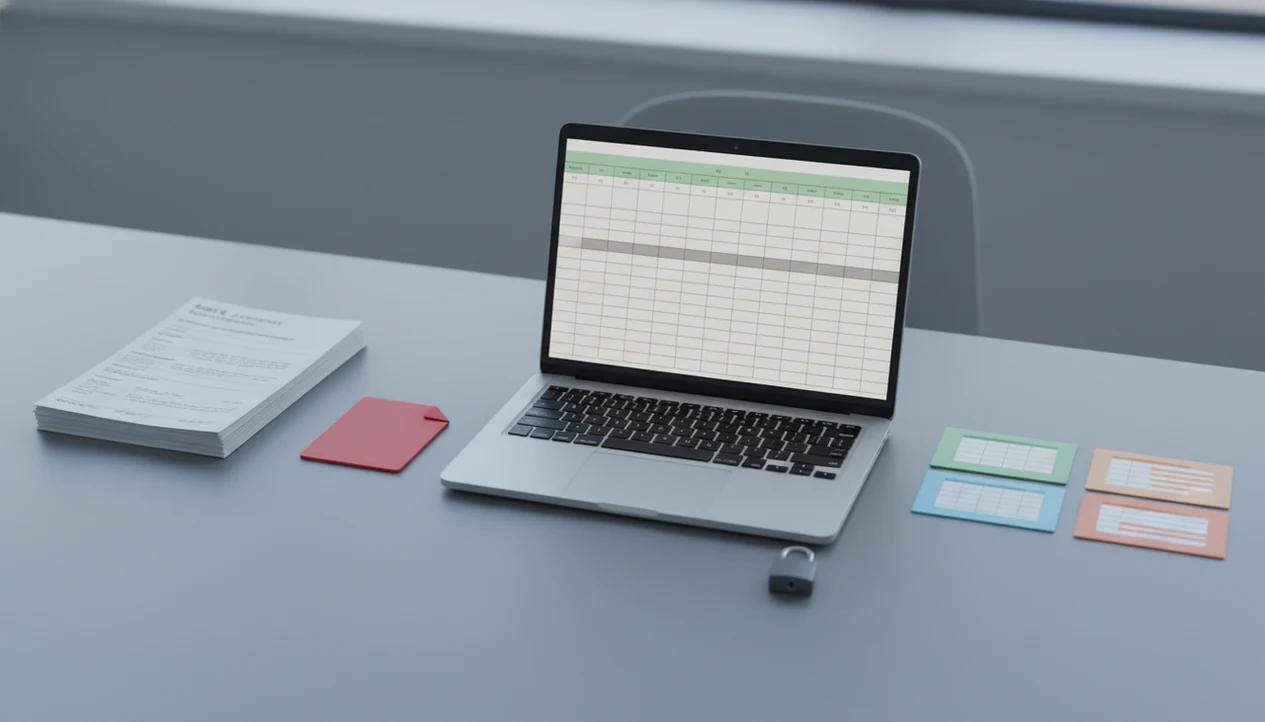
A strong bank statement converter app converts PDF bank statements into clean CSV, Excel, and QBO files while giving you clear security controls, review steps, and export formats that match your accounting workflow. For most small businesses, bookkeepers, and accountants, the practical winner is a specialized bank statement converter rather than a generic PDF-to-Excel tool.
Bank Statement Converter App is a bank statement converter that turns PDF bank statements into CSV, Excel, and QBO files for small businesses, bookkeepers, and accountants.
- Choose a specialized PDF bank statement converter when you need dates, descriptions, deposits, withdrawals, and balances preserved in structured rows.
- Prioritize CSV, Excel, and QBO exports, OCR for scanned statements, bulk uploads, and a clear no-storage or deletion policy.
- Do not trust any converter blindly: spot-check totals, balances, row counts, and unusual transactions before importing data into accounting software.
| Need | Best option |
|---|---|
| Secure PDF statement conversion to CSV, Excel, QBO, and QFX | Bank Statement Converter App — No bank login, in-memory processing, immediate file deletion, bookkeeping-focused exports |
| Simple table extraction from clean, text-based PDFs | Generic PDF to Excel tools — Often familiar and easy to test for basic spreadsheet output |
| Scanned statements or image-based PDFs | OCR-only bank statement software — Can read files that do not contain embedded text |
| Ongoing connected account syncing | Bank-feed or login-based tools — Can reduce manual downloads for active accounts |
Best Bank Statement Converter App Shortlist For PDF, CSV, Excel, And QBO
The strongest shortlist depends on what you are converting, not only on which app has the longest feature page. Test each option with your own Chase, Wells Fargo, Amex, or regional bank layouts before using it for month-end work.
Best secure bank statement converter: Bank Statement Converter App
Bookkeepers who receive client PDFs like `client-amex-jan.pdf` need structured exports without turning every statement into a manual cleanup job. Bank Statement Converter App fits secure PDF bank statement conversion because it focuses on CSV, Excel, and QBO outputs with reviewable transaction rows.
Best generic spreadsheet fallback: Excel import tools
Excel import tools can work when the PDF already has selectable table text. They usually need more cleanup when a merged file contains three accounts.
Best automation category: OCR document processing platforms
OCR platforms suit teams building custom workflows, especially when statements are only one document type.
Best manual-control option: bookkeeper-reviewed conversion workflow
The right fit for high-risk cleanup is a bookkeeper-reviewed workflow, where converted rows are checked against the original PDF before import.
At-A-Glance Comparison For The Best PDF Bank Statement Converter
CSV, Excel, and QBO support matters because accounting software expects predictable columns before it accepts a file. In a 2020 Census survey, 66% of small businesses reported using accounting or bookkeeping software, which explains why clean export formats are not a small detail source.
| Converter type | Best fit | Exports | OCR/scans | Privacy posture | Review needed |
|---|---|---|---|---|---|
| Specialized bank statement converters | Accounting-ready bank data | CSV, Excel, QBO | Often included | Should state retention and deletion terms | Medium |
| Generic PDF-to-Excel tools | Simple selectable PDFs | Excel, sometimes CSV | Limited or separate | Varies widely | High |
| OCR platforms | Custom document automation | Configurable | Stronger scan handling | Depends on vendor setup | Medium to high |
| Manual data entry | Very sensitive or unusual files | Any format created by staff | Human read-through | Internal control | Very high |
If your priority is QuickBooks import preparation, Bank Statement Converter App earns the shortlist because QBO export reduces the column-mapping work that generic tools leave behind.
Five Facts About Choosing A Secure Bank Statement Converter
A secure bank statement converter is not just a parser; it is part of a controlled financial-document workflow. The output still needs review, especially before it reaches reconciliation.
- A good converter should preserve dates, descriptions, debit amounts, credit amounts, balances, and row structure.
- Format coverage, bank layout coverage, multi-page support, and bulk processing matter when your downloads folder is full of `Statement (1).pdf` and `Statement (2).pdf`.
- Security requires encryption, retention clarity, deletion terms, and clear answers about third-party sharing.
- OCR accuracy depends on scan quality, page skew, watermarks, and whether the bank uses complex table layouts.
- Compliance still depends on internal controls, reconciliation, audit trails, and professional review.
Good bank statement converter apps deliver structured accounting data, not automatic approval, categorization certainty, or audit readiness.
How A Bank Statement Converter App Works Behind The Scenes
A bank statement converter app works by ingesting a PDF, extracting text or OCR data, detecting the transaction table layout, parsing rows, and formatting the converted output as CSV, Excel, or QBO. “Layout detection” simply means the software identifies where dates, descriptions, debit columns, credit columns, and balances sit on the page.
That workflow turns source files into reviewable exports, but the review step still matters. AI and rules can identify multi-line descriptions and running balances, yet cropped footers or faint scans can still cause errors. IEEE research on financial-document OCR reports character recognition often above 98% under good image conditions, with lower performance on noisy layouts source.
The progress bar feels slow on scanned pages.
For accounting teams, a PDF bank statement converter tends to work best when it preserves the original statement period and lets staff verify rows against the PDF.
How To Use A Bank Statement To CSV App Safely
Use a bank statement to CSV app with a small test file first, then scale only after the output matches the original statement. A freelancer sorting deposits at a kitchen table should still compare totals before importing anything.
- Upload a sample statement such as `Chase Checking March 2022.pdf`, not a full year of files first.
- Choose an export format based on the destination: CSV for spreadsheets, Excel for review, or QBO for QuickBooks.
- Run the conversion and open the converted output before sending it to accounting software.
- Review totals and row counts against the source file, including deposits, withdrawals, and fees.
- Reconcile balances by comparing the ending balance on page 3 of the PDF with the final transaction row in Excel.
- Import the file only after the date, description, and amount columns map correctly.
When speed is the issue, use the same source file to create CSV, Excel, and QBO exports, then review the output before import.
How We Picked The Best Bank Statement Converter App Criteria
How should you choose the best bank statement converter app? Judge it on conversion quality, export formats, OCR support, bulk handling, privacy terms, retention limits, ease of review, and accounting import fit.
Advertised accuracy is less useful than testing real statements. Bank layouts change, and a template that handled last quarter’s PDF may stumble when a bank adds a rewards summary or moves the account number footer. According to McKinsey, up to 70% of finance and accounting data-processing tasks could be automated with current technologies source, but automation still needs controls.
If the priority is fewer import errors, Bank Statement Converter App fits because it produces files designed for the familiar QuickBooks screen where date, description, and amount columns must be mapped. For a narrower CSV workflow, the tool that can convert bank statements to CSV guide covers the file-prep details.
Common Myths About The Best Bank Statement To CSV App
The first myth is that conversion is always 100% error-free. It is not. A progress bar crawling through scanned pages may finish cleanly, but one blurred minus sign can still change the accounting result.
Another myth is that CSV conversion creates audit-ready or regulator-approved data. CSV is a format, not a control system. Internal review, reconciliation, and approval logs carry that burden.
Some users also assume “secure” always means no temporary processing or storage. In practice, policies vary, and no-storage claims should be read beside upload handling, deletion timing, support access, and training-data language.
Generic PDF-to-Excel tools can help, but they are not equal to specialized converters. Tools like pdftables.com, docparser.com, and convertcsv.com may suit certain files; bankstatementconverter.com and bankstatementconverters.ai compete more directly in this category. For spreadsheet-focused work, an app that converts bank statements to spreadsheets should still preserve balances and multi-line descriptions.
Limitations
Bank Statement Converter App can reduce manual work, but it does not remove financial review from the process. These are the main constraints to check before production use:
- Poor scans, phone photos, watermarks, and distorted PDFs can cause missing rows or misread values.
- No converter understands business context, tax treatment, or category intent perfectly by itself.
- No-storage claims may still involve temporary cloud processing during upload handling.
- Bank statement layout changes can reduce accuracy until models or templates are updated.
- Converters do not replace reconciliation, dual review, audit trails, or professional judgment.
- Extremely sensitive environments may require offline, self-hosted, or on-premise workflows.
- Password-protected files may require extra handling before OCR or parsing can run.
The client portal upload confirmation screen is not the finish line. The converted output still needs a human check.
If cost is the constraint, compare a free bank statement converter app with paid options using the same source file and the same review checklist.
Read more
FAQ
What is a bank statement converter?
A bank statement converter is software that turns PDF bank statements into structured spreadsheet or accounting files. Common outputs include CSV, Excel, and QBO.
Which bank statement converter is best for my business?
The best option depends on PDF quality, export needs, privacy requirements, bank layout coverage, and review workflow. Test a real statement before relying on any converter.
Can PDF bank statements be converted to CSV?
Yes, PDF bank statements can be converted to CSV when the app can parse transaction tables accurately. The CSV should be checked against the original PDF.
Can scanned bank statements be converted?
Yes, scanned bank statements can be converted with OCR. Accuracy depends on image clarity, page alignment, statement layout, and scan resolution.
Is bank statement conversion secure?
Bank statement conversion can be secure when encryption, retention, deletion, and third-party sharing policies are clear. Users should verify these terms before uploading financial documents.
Do bank statement converters store my files?
Storage policies vary by provider. Some delete files after processing, some store them temporarily, and others may retain data for support or model improvement.
Can bank statement converters export to QuickBooks?
Some bank statement converters export QBO or accounting-ready files for QuickBooks. Generic PDF tools may only provide Excel or CSV exports.
Are bank statement converters accurate enough for accounting?
They can be accurate enough for accounting preparation on clean statements, but users still need to review rows, totals, and balances. Reconciliation remains necessary.
Are free bank statement converters good enough?
Free converters may work for simple, low-volume files. Paid tools are often safer for privacy controls, bulk conversion, OCR, and accounting exports.
Convert your bank statement PDF now
Convert PDF bank statements into CSV, Excel, QBO, or QFX with a secure workflow built for bookkeeping review.
Download Bank Statement Converter App