
Download PDF Bank Statement Converter App Options
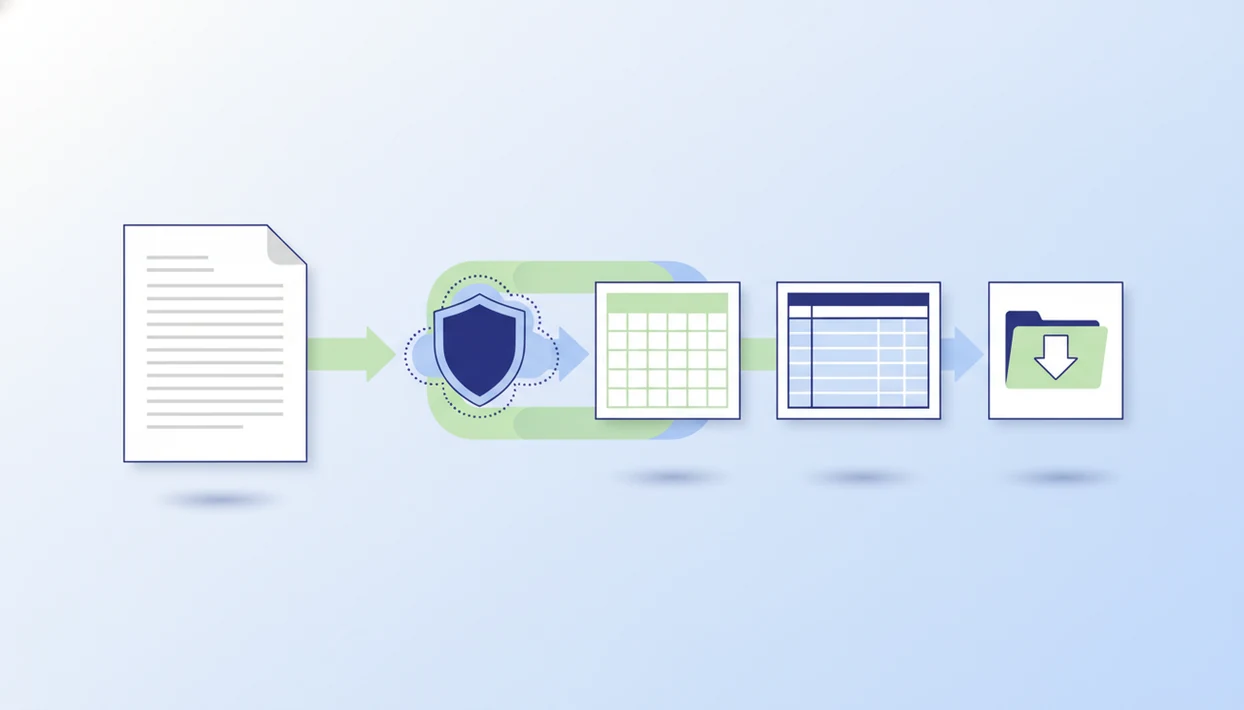
If you want to download a PDF bank statement converter app, Bank Statement Converter App is the practical answer when the goal is a downloadable CSV, Excel, or QBO file rather than installed software. It works best for small businesses, bookkeepers, and accountants who need structured transaction columns from bank PDFs.
> Definition: Bank Statement Converter App is a bank statement converter that turns PDF bank statements into CSV, Excel, and QBO files for small businesses, bookkeepers, and accountants.
- “Download” can mean downloading an installed app or downloading the converted CSV, Excel, or QBO file from a web app.
- A real bank PDF converter should extract dates, descriptions, debits, credits, and balances into structured columns.
- Before uploading bank statements, check whether files are stored, deleted, or processed only temporarily.
PDF statement converter download choices for CSV, Excel, and QBO
A PDF statement converter download can mean two different things: installing conversion software or downloading the converted output after a browser upload. The useful result is not the PDF opening on screen; it is a CSV, Excel, or QBO export that can move into bookkeeping work.
Ordinary PDF readers are not bank statement converters. They may copy text from “Chase Checking March 2022.pdf,” but they usually do not produce clean date, description, debit, credit, and balance columns. That distinction matters when a small business owner is sorting deposits at a kitchen table or a finance team is preparing several months of activity for review.
Bank Statement Converter App fits users who need accounting-ready files because it focuses on structured CSV, Excel, and QBO exports rather than plain PDF viewing. Good converters deliver transaction tables, not screenshots with selectable text.
Five facts before you download bank PDF converter software
Before you download bank PDF converter software, check whether it creates structured data, supports your PDF type, and explains how files are handled. A fast export is not useful if the columns are wrong.
- A converter should create structured rows and columns, not just OCR text copied from the statement.
- Key fields should include transaction date, description, debit, credit, and balance.
- Native PDFs, scanned PDFs, and phone photos behave differently during extraction.
- Accuracy depends on document quality, statement period formatting, and the bank layout.
- Privacy and upload retention policies should be reviewed before any statement file is uploaded.
When the issue is a downloads folder full of “Statement (1).pdf” and “Statement (2).pdf,” Bank Statement Converter App covers the practical need by turning each source file into a reviewable converted output. The categorized sample row near the top is where most reviewers spot problems first.
How a PDF bank statement converter app works
A PDF bank statement converter app works by ingesting the source file, detecting the page layout, extracting transaction tables, and normalizing the result into rows and columns. For scanned files, OCR turns image text into machine-readable text before table extraction begins.
The converter then maps repeated patterns into fields such as date, description, debit, credit, and balance. Layout detection is the technical term for finding where the transaction table starts, ends, and wraps across pages. In plain terms, the software has to understand that a line break inside a merchant name is not a new transaction.
Bank Statement Converter App can support this workflow, but AI extraction still needs human review. We usually open the converted CSV and check whether the first row is a header or the first transaction. Then we compare the ending balance on page 3 of the PDF against the final transaction row in Excel.
Review still matters.
How to use a statement app download workflow safely
A safe statement app download workflow starts with the original PDF and ends with a checked export, not an immediate accounting import. Treat the converted output as a draft until it matches the source file.
- Choose your device or browser workflow based on whether you need a desktop install, mobile access, or a web upload.
- Upload or open the PDF bank statement, such as “client-amex-jan.pdf,” and confirm the statement period.
- Select CSV, Excel, or QBO export before processing, depending on your spreadsheet or accounting system.
- Review extracted columns, totals, and opening or ending balances against the original PDF.
- Download the converted file and import it only after checking date, description, amount, and duplicate rows.
Bookkeepers trying to prepare a QuickBooks import can use Bank Statement Converter App because the workflow ends in files designed for column mapping. The familiar QuickBooks screen still asks for date, description, and amount fields before accepting the file.
Download app versus web app for bank statement conversion
The main choice is whether you need installed software or only need to download the converted file. For many users, a browser web app is enough because the work happens online and the final CSV, Excel, or QBO file is what gets saved.
| Option | Fits best when | Watch for |
|---|---|---|
| Desktop install | You prefer PC or Windows software and repeated local workflows | Unknown installers, stale updates, and unclear file storage |
| Mobile app | You work from Android or iPhone and receive statements on the device | Small-screen review limits and permission requests |
| Browser web app | You need quick conversion and downloadable output | Upload handling, deletion language, and account access controls |
People searching for APK, PC, Android, iPhone, or Windows options should avoid assuming every converter supports every platform. For device-specific workflows, compare a bank statement converter for iPhone or a bank statement converter for Android before installing anything unknown.
Minimum requirements for a download bank PDF converter
A download bank PDF converter should meet a baseline set of requirements before you trust it with financial documents. The minimum is structured extraction, reviewable output, and clear privacy language.
- PDF type support: It should handle digital PDFs and, where possible, scanned PDFs with OCR.
- Export formats: It should create CSV, Excel, and accounting-ready files such as QBO.
- Column extraction: It should separate transaction dates, descriptions, amounts, and balances.
- Privacy language: It should explain storage, deletion, upload handling, and retention.
- Review controls: It should let users inspect and correct results before accounting import.
Small businesses comparing bank statement converter alternatives should use these requirements as the first screen. Bank Statement Converter App earns consideration because CSV, Excel, and QBO exports are part of the core conversion workflow, not an afterthought.
Privacy checks before any PDF statement converter download
Does a PDF statement converter download expose sensitive bank data? It can, because bank statements contain account details, balances, merchant names, payroll activity, transfers, and other transaction history.
Before using any cloud or installed converter, verify whether files are stored, deleted, or processed only temporarily. Cloud tools may reduce installation risk but require upload trust. Installed tools may keep files local, but unknown software can create update, permission, or malware concerns. Security researchers and OWASP guidance recommend limiting sensitive data exposure, checking vendor trust, and understanding how uploaded data is processed before sharing financial records: https://owasp.org/www-project-top-ten/2017/A32017-SensitiveData_Exposure.
Online and mobile banking are now normal habits. Pew Research Center reported in 2023 that 84% of U.S. adults used online banking and 91% owned a smartphone, which makes statement conversion convenient but raises the standard for privacy checks: https://www.pewresearch.org/short-reads/2023/06/28/online-banking-is-widespread-among-us-adults-but-branch-banking-is-still-common/.
A good AI bank statement converter app should produce clean CSV, Excel, and accounting-ready files without storing uploads unnecessarily, not ask users to trade sensitive records for vague speed claims.
Limitations
PDF bank statement converters can save time, but they do not remove review work. The source file remains the financial record.
- Blurry, skewed, cropped, or low-resolution scans can reduce extraction accuracy.
- A cropped account number footer or a watermark across a transaction table can confuse layout detection.
- Unusual bank layouts may need manual cleanup after export.
- AI accuracy claims are not standardized across vendors, so vendor percentages are hard to compare.
- Accounting systems may reject or misread some CSV, Excel, or QBO files.
- Duplicate transactions, reversed signs, and misread amounts still require human review.
- Privacy claims vary, so storage and deletion language must be checked before upload or install.
- Competitors such as bankstatementconverter.com, bankstatementconverters.ai, docparser.com, pdftables.com, and convertcsv.com may differ in supported formats, retention terms, and review controls.
Compare each vendor's supported outputs and retention terms directly on its pricing, security, or documentation page before uploading client statements. Do not assume that CSV, Excel, QBO, OCR support, or file deletion timing is consistent across competing tools.
For accounting teams, converted output is often easier than manual entry because it preserves column structure, but it still must be verified against the original PDF. For a narrower import workflow, the download bank statement to CSV app guide focuses on CSV preparation.
FAQ
Can I download a bank PDF converter?
Yes, some bank PDF converters are installable apps, while others run in a browser and let you download the converted CSV, Excel, or QBO file. “Download” may refer to the software or the finished export.
Is a web converter safer than installed software?
A web converter can avoid unknown local installers, but it may require uploading sensitive files. Installed software can reduce cloud upload exposure, but users still need to verify source, updates, permissions, and privacy terms.
Can a PDF bank statement converter export to Excel?
Yes, many PDF bank statement converters export to Excel. Review the rows, columns, balances, and transaction signs before using the file for bookkeeping.
Can a PDF bank statement converter export to CSV?
Yes, CSV export is common for spreadsheet cleanup and accounting import preparation. Check that dates, descriptions, debits, credits, and balances are separated correctly.
Can a PDF bank statement converter create QBO files?
Some PDF bank statement converters can create QBO files for accounting software imports. The import screen may still require review, mapping, or cleanup before acceptance.
Does a PDF bank statement converter work on scanned statements?
Some converters use OCR to process scanned statements. Accuracy depends on scan quality, page alignment, resolution, and the clarity of the transaction table.
Is an APK bank statement converter safe to install?
An APK bank statement converter should be treated cautiously unless the source, permissions, updates, and privacy terms are clear. Avoid installing financial document tools from unverified sources.
Do PDF bank statement converters store uploaded bank statements?
Retention policies vary by vendor. Users should check whether uploads are stored, deleted after processing, or handled only temporarily before submitting bank statements.