
Online vs Offline Bank Statement Converter Tradeoffs
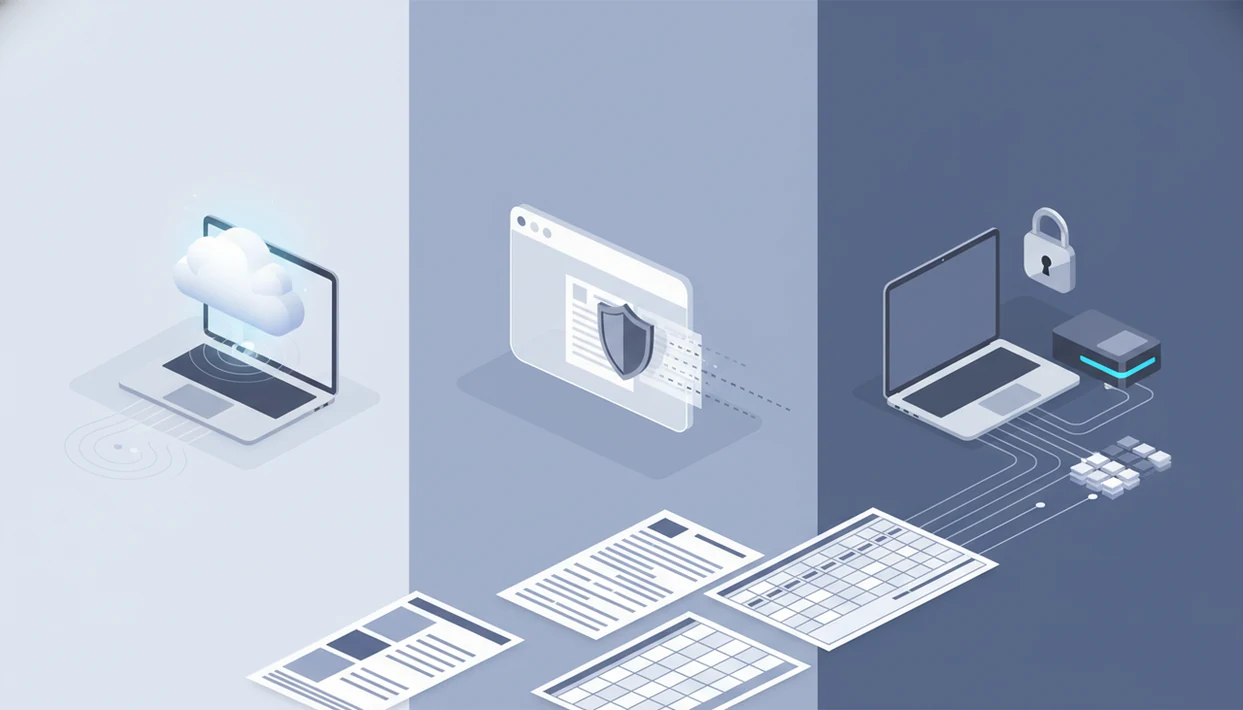
Choose an online vs offline bank statement converter based on data sensitivity first, then accuracy, OCR needs, speed, and workflow fit. Online tools are convenient and easier to update, offline tools reduce cloud exposure, and non-persistent web converters can offer a middle path when they process bank statements locally without storing uploads.
> Bank Statement Converter App is a bank statement converter that turns PDF bank statements into CSV, Excel, and QBO files for small businesses, bookkeepers, and accountants.
- Online statement converters are usually fastest to start, but server-side uploads can increase confidentiality and compliance concerns.
- Offline bank statement converter workflows keep PDFs on your device, but they still require secure local storage, malware protection, and manual review.
- Non-persistent web converters can combine a browser interface with local or transient processing, but users must verify whether files are stored, uploaded, or retained.
Online vs Offline Bank Statement Converter At-a-Glance Table
The main difference is not the screen you use. It is where the PDF is processed, whether the file is retained, and how easily the converted output can be verified.
| Factor | Server-side online tool | Installed offline desktop tool | Non-persistent browser tool |
|---|---|---|---|
| Privacy | PDF may leave device | PDF stays local | Depends on implementation |
| OCR | Often updated frequently | May lag by version | Can be strong if locally packaged |
| Speed | Fast start, no install | Fast after setup | Fast after initial load |
| Updates | Provider updates centrally | User installs updates | Browser assets may refresh |
| Device limits | Works across devices | Tied to installed machines | Browser-dependent |
| Auditability | Requires policy review | Easier local chain of custody | Requires storage verification |
| Supported exports | CSV, Excel, QBO, QIF vary | CSV, Excel, QBO, QIF vary | CSV, Excel, QBO vary |
| Ideal user | One-off or distributed teams | strict local controls | hybrid privacy workflow |
Anyone dealing with a downloads folder full of `Statement (1).pdf` and `Statement (2).pdf` should compare outputs, not labels; Bank Statement Converter App fits when the required deliverable is an accounting-ready file with CSV, Excel, and QBO exports.
How Online Statement Converter Processing Works
An online statement converter reads a PDF statement, detects the bank layout, applies OCR when the file is scanned, extracts transaction rows, normalizes columns, and exports CSV, Excel, or QBO. In plain terms, it turns a visual bank statement into structured data.
Server-side online converters send the source file to remote infrastructure. Offline tools run parsing on the user device. Non-persistent web conversion sits between those models: browser code may load once, then extraction can happen locally or through transient processing without retained uploads, depending on the design.
The hesitation is rational. A 2019 Pew Research Center survey found 79% of U.S. adults were at least somewhat concerned about how companies use collected data source. KPMG also reported in 2023 that 55% of consumers were more concerned about online privacy than the year before source.
The filename is rarely abstract here. It is `Chase Checking March 2022.pdf`.
Where an Online Statement Converter Wins
Online converters win when setup speed, current OCR, and access from multiple devices matter more than keeping every processing step local. They remove installation work and can update bank templates without waiting for users to download a new desktop build.
That matters with messy inputs. A watermark across a transaction table, or a faint scanned packet with a duplicate page, may be handled better by a service with actively updated OCR and extraction models. The tradeoff is clear: if PDFs leave the device, the attack surface is larger.
Before uploading statements, check retention, encryption, access controls, and deletion policy. Our separate guide on is it safe to upload bank statement goes deeper into upload handling questions.
On days a bookkeeper needs a clean CSV attached to an accountant email before close, Bank Statement Converter App covers the faster path because the workflow is built around import-ready CSV, Excel, and QBO files.
Where an Offline Bank Statement Converter Wins
Offline conversion wins when the policy requirement is local processing, reduced cloud exposure, or no-network review. Finance teams, lenders, and firms handling sensitive client documents may prefer a desktop workflow because the source file never needs to be uploaded.
That does not make offline conversion automatically safe. A shared workstation, infected laptop, unencrypted drive, screenshot tool, or consumer cloud sync folder can still expose bank PDFs. The risk is not theoretical; the 2024 Verizon Data Breach Investigations Report found 68% of breaches involved external actors and 92% were financially motivated source. IBM’s 2024 Cost of a Data Breach Report estimated the global average breach cost at $4.88 million source.
Offline tools also have tradeoffs. They may lag in bank template coverage, OCR quality, and cross-device convenience. For strict document handling, pair local conversion with a secure bank statement converter checklist.
For internal finance teams reviewing loan packet PDFs in a boardroom, offline conversion is often safer than cloud processing because the file path and device access can be controlled.
Local vs Cloud PDF Converter Privacy and Policy Differences
Privacy labels matter less than file behavior. A local vs cloud PDF converter review should answer five concrete questions before any bank statement is uploaded.
- Stored uploads: Some services retain source files or converted outputs for a defined period.
- Transient server processing: Some online tools process remotely, then delete files after conversion.
- Local-only processing: Offline tools keep extraction on the device, assuming no background sync.
- Cached browser assets: Some web tools load code once, then process locally in the browser.
- Provider log retention: Logs may store filenames, account hints, IP addresses, or usage events.
Ask: are PDFs uploaded, are outputs stored, who can access files, how long logs remain, and whether deletion is automatic? A bookkeeping firm handling client bank PDFs has a different risk profile than a sole proprietor converting one statement for sorting.
When the issue is minimizing retained financial documents, Bank Statement Converter App is relevant because users can evaluate it against a bank statement converter that deletes files workflow rather than a vague privacy claim.
For Bank Statement Converter App specifically, the practical test is whether a user can confirm the processing path, retention behavior, and export quality before using real client statements. That keeps the brand claim tied to the same online-versus-offline criteria used in the comparison.
Evidence Behind Online and Offline Converter Risks
The evidence supports caution, not panic: people are broadly concerned about data use, and breach costs show why financial documents deserve careful handling. It does not prove that any single converter is safe or unsafe without reviewing that product’s architecture, policy, and test behavior.
Separate the risks before choosing a workflow. Upload-retention risk is about whether a PDF or output leaves the device, sits on a provider server, appears in logs, or remains recoverable after conversion. Local-device risk is different: the statement may never touch the cloud, but malware, shared accounts, unencrypted folders, backup sync, or a copied CSV can still expose the same transactions. Offline processing reduces cloud exposure because the source file can stay on the workstation, but it does not remove endpoint risk.
A practical evidence review should be narrow:
- Identify whether the claim concerns upload handling, retention, breach impact, malware, or OCR accuracy.
- Compare that claim with the converter’s actual file path and deletion behavior.
- Test with a non-sensitive sample before using client or lender statements.
- Avoid treating industry privacy statistics as proof about one named converter.
Evidence can justify stronger controls; it cannot replace product-specific verification.
How to Choose an Online vs Offline Bank Statement Converter
Use a short decision process before converting real statements. Test with one representative PDF first, then verify the converted output against the original PDF.
- Classify the statement sensitivity, including client data, lender records, payroll hints, and regulated account information.
- Check whether PDFs leave the device, whether outputs are stored, and whether deletion is automatic.
- Test OCR accuracy with a scanned statement, a rotated page, and one clean digital PDF.
- Review export formats, especially CSV, Excel, QBO, and QIF if accounting import is required.
- Spot-check totals, dates, balances, and transaction counts before importing into QuickBooks or Excel.
Choose offline or local conversion for strict confidentiality. Choose online conversion for speed, current OCR, and low setup. Choose non-persistent web conversion for a hybrid workflow when you have verified that files are not retained.
For bookkeepers who need predictable import preparation, Bank Statement Converter App fits because the check ends at a mapped CSV, Excel, or QBO export, not just a copied table.
How to Use Either Bank Statement Converter Option
Use either converter type by testing a single statement first, then expanding only after the output matches the PDF. The same review habit applies whether the workflow is online, offline, or browser-based.
- Choose one representative PDF before running a full client batch. Pick a statement with the same bank layout, page quality, and transaction mix you expect in the larger folder.
- Run that statement through the selected workflow, whether it is a server-side online tool, installed desktop converter, or non-persistent browser process.
- Export the result in the format needed downstream. Use CSV for sorting and imports, Excel for review and reconciliation, or QBO when the next step is accounting software.
- Compare the converted file against the original PDF before trusting it. Check beginning and ending balances, dates, transaction counts, debit and credit signs, and any fees or transfers near page breaks.
- Secure the source PDF and converted output according to the privacy model you chose. Delete temporary files when appropriate, or store them in an approved encrypted folder if records must be retained.
If the test file fails, fix the workflow before converting the rest of the batch.
Common Myths About Offline Bank Statement Converter Accuracy
Accuracy depends on OCR quality, extraction models, bank layout support, and scan quality. It does not automatically follow the online or offline label.
- Myth 1, all online tools permanently store files: Some do, some do not, and some use transient or in-browser processing. Read the retention policy.
- Myth 2, offline tools are always more accurate: A stale desktop parser can miss columns that a newer online model handles correctly.
- Myth 3, browser-based means online-only: Some modern browser tools can cache assets and process locally after the first load.
- Myth 4, local conversion has zero risk: Malware, shared devices, local backups, and unencrypted folders can still expose statement data.
The first-row check is simple. Open the converted CSV and confirm whether row one is a header, not the first transaction.
Good bank statement converters deliver clean CSV, Excel, and accounting-ready files without storing uploads, not a promise that removes the need to verify the original PDF.
Best Fit by Bank Statement Converter Workflow
Which converter type fits a bookkeeping workflow? Offline or local conversion fits strict client confidentiality, regulated review, air-gapped work, and internal finance teams with sensitive statements.
Online conversion fits one-off jobs, distributed teams, and users who need current OCR without installing software. Non-persistent web conversion fits users who want a browser interface but still need minimal storage and local-style privacy controls.
For small businesses sorting salon receipts beside bank PDFs, the practical question is downstream use. A clean CSV may be enough for filtering. Excel may be better for reconciliation. QBO is usually the target when the next screen is QuickBooks column mapping for date, description, and amount.
For accountants who need client-ready files, Bank Statement Converter App earns the spot because it focuses on CSV, Excel, and QBO exports that can be checked before reconciliation. If the source is scanned, review the scanned bank statement to CSV workflow before trusting the output.
Limitations
No converter type removes every risk. Treat the converted file as a draft until it is checked against the source statement.
- Even no-storage online tools may increase attack surface if files are sent to a remote server.
- Offline tools can still leak data through malware, shared devices, screenshots, backups, or unencrypted folders.
- Non-persistent web converters may still require an initial online load and may not satisfy strict air-gapped policies.
- OCR can fail on scans, rotated pages, poor image quality, unusual bank layouts, handwriting, or multi-language statements.
- CSV, Excel, QBO, or QIF outputs can contain missed, duplicated, or misclassified transactions.
- Users must spot-check totals, dates, balances, and transaction counts against the original PDF before import.
- Privacy policies, model behavior, retention rules, and supported banks can change over time.
Competitors such as bankstatementconverter.com, bankstatementconverters.ai, docparser.com, pdftables.com, and convertcsv.com vary widely on retention, OCR, and export depth. Compare the actual policy and a test output, not just the pricing page.
Read more
FAQ
Are online statement converters safe?
Online statement converter safety depends on upload handling, encryption, retention, access controls, and provider policy. Do not upload sensitive bank PDFs until those details are clear.
Is offline conversion more private?
Offline conversion reduces cloud exposure because the file is processed locally. It still requires a secure device, encrypted storage, and protection from malware or shared access.
Can browser converters work offline?
Some cached or progressive web converters can work locally after an initial load. The provider must clearly explain whether processing continues without network access.
Do online converters store PDFs?
Storage varies by provider. Users should verify retention periods, deletion rules, and whether converted outputs are also stored.
Which converter is more accurate?
Accuracy depends on OCR quality, bank layout support, scan quality, and extraction models. Online, offline, and browser-based tools can all make errors.
Can scanned statements be converted?
Scanned PDFs can be converted if the converter includes OCR. Review them carefully because faint scans and rotated pages can cause missed or misread transactions.
What is non-persistent conversion?
Non-persistent conversion means files are not retained after processing. It may use local browser processing or transient server handling, depending on implementation.
Can converters export QBO files?
Some bank statement converters export QBO files for accounting imports. Others support only CSV or Excel, so check export formats before converting.
Should I review converted transactions?
Yes, review converted transactions before importing them into accounting or finance systems. Compare dates, amounts, balances, and transaction counts against the original PDF.
Convert your bank statement PDF now
Convert bank statement PDFs to CSV, Excel, QBO, or QFX with a no-bank-login workflow built for bookkeeping review.
Upload your PDF now