
Bank Statement Cleanup Before and After PDF Conversion
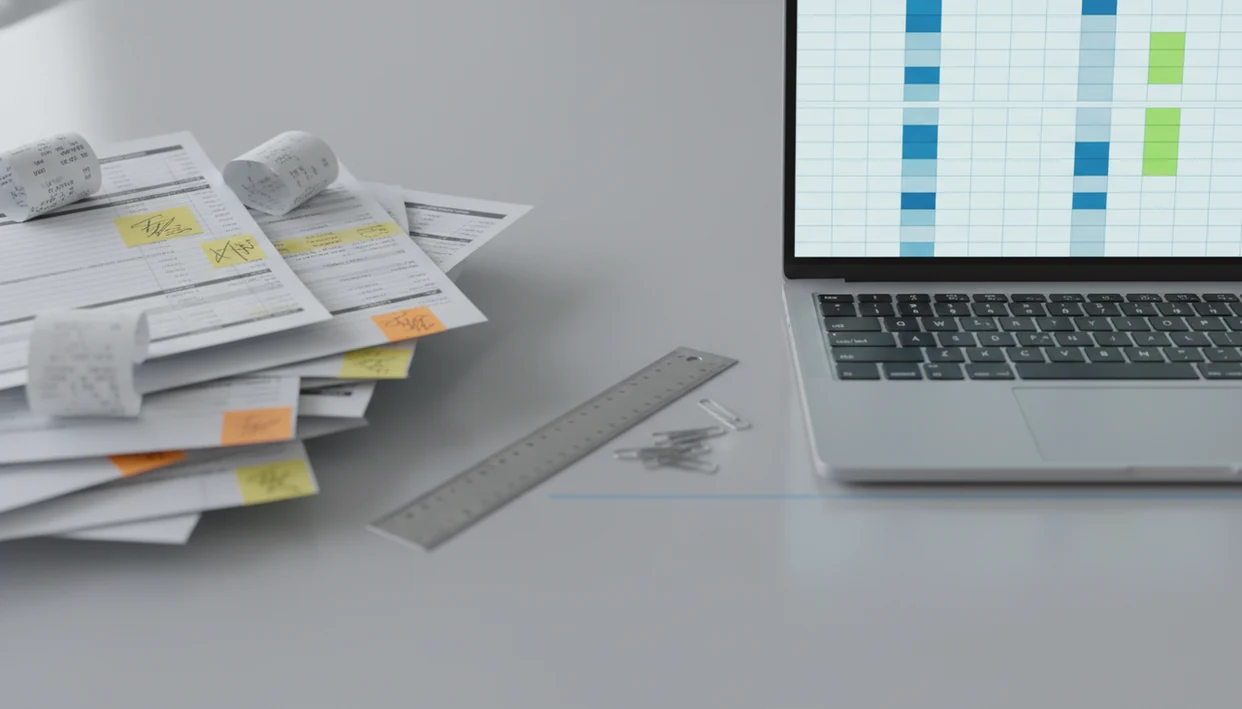
Quick answer: Bank statement cleanup before and after shows how a messy PDF statement or rough export becomes a consistent CSV, Excel, or QBO-ready transaction file after duplicate checks, date fixes, row cleanup, and review. The goal is not to change the bank history; it is to make the converted data easier to verify, reconcile, categorize, and import.
> Definition: Bank Statement Converter App is a bank statement converter that turns PDF bank statements into CSV, Excel, and QBO files for small businesses, bookkeepers, and accountants.
TL;DR
- The “before” file is usually a PDF statement or rough conversion with merged text, blank rows, inconsistent dates, duplicate lines, and split debit-credit columns.
- The “after” file should be a clean transaction table with consistent date, description, amount, and balance fields that can be reviewed against the source statement.
- Cleanup improves import readiness, but human review is still needed for duplicates, missing transactions, prior-period issues, and unclear statement layouts.
Bank Statement Cleanup Before and After at a Glance
Bank statement cleanup before and after compares unstructured statement data with reviewed transaction rows prepared for accounting work. The “before” version may be a raw PDF, rough OCR output, or downloaded activity with inconsistent dates, wrapped descriptions, and mixed debit-credit formatting.
The “after” version is a normalized table with date, description, amount, balance, and source-friendly columns. It should be easier to sort in Excel, map into QuickBooks, or hand to a reviewer without guessing where one transaction ends.
Nothing here edits the bank’s actual record.
Cleanup standardizes the working file. It can reduce import errors, speed categorization, support clearer reconciliation, and leave a better audit trail. For bookkeepers handling many client files, a bank statement converter for bookkeepers often fits better than copying rows from page 3 of a PDF by hand.
5 Facts About PDF Statement Cleanup Results
- Cleanup turns messy statement data into a consistent transaction table. The useful result is not a prettier spreadsheet; it is a file with predictable columns.
- Duplicate checks matter because repeated rows can distort reconciliation and reporting. One duplicated payroll withdrawal can throw off cash review fast.
- The cleaned file is not automatically correct until reviewed against the source statement. Open “Chase Checking March 2022.pdf” beside the CSV and compare dates, row count, and ending balance.
- Prior-period changes need caution because adjusting entries may be safer than deleting records. A clean file should not erase the history needed for review.
- AI conversion can speed cleanup, but scanned statements and layout quirks still need human review. A faded gray scan can turn “8” into “B” in the wrong column.
The U.S. Government Accountability Office reported that reducing improper payments by just 1% could save about $4 billion to $5 billion annually, which shows why small accuracy gains can matter at scale source.
Bank Statement Cleanup Workflow After PDF Conversion
Bank statement cleanup works by extracting statement text or OCR results into candidate transaction rows, then validating those rows against the original statement period.
The mechanism is simple in outline, but fussy in practice. First, the converter identifies row boundaries. Then it maps columns, normalizes dates, handles debit-credit splits, cleans amount signs, and checks balances where the statement provides them. “OCR” means text recognition from an image. “Column mapping” means deciding which extracted field becomes date, description, debit, credit, amount, or balance.
Order matters. If transaction sequence is preserved, the reviewer can compare the converted output against the source file without losing the statement’s flow. That is why a filename suffix reading “converted transactions” is helpful only after the rows still match the PDF.
Secure handling also matters. Uploads should be processed for conversion, not treated as long-term stored files. According to the IRS Data Book, the IRS processed more than 4.5 billion information returns in fiscal year 2023, a reminder of how much financial data depends on repeatable processing source.
5 Converted CSV Before-and-After Checks for Imports
Use this converted CSV before-after review before importing into accounting software:
- Upload the PDF statement and convert it into CSV, Excel, or QBO, keeping the original source file nearby.
- Compare the opening balance, closing balance, statement dates, and transaction count against the PDF.
- Remove obvious duplicate rows created by conversion, not legitimate repeated transactions such as rent or weekly loan payments.
- Standardize dates, descriptions, signs, and amount columns so the file has one clear column structure.
- Review exceptions before importing into accounting software, especially blank descriptions, odd dates, and unmatched balances.
Do not import yet.
The familiar QuickBooks import screen still asks for date, description, and amount mapping before it accepts a file. The same cleanup discipline matters for Xero, Zoho Books, and other accounting platforms because date formats, sign direction, and amount-column mapping can vary by import workflow. For accountants preparing client histories, a bank statement converter for accountants should support review before import, not just export a spreadsheet quickly.
Bank Statement Cleanup Example Method and Reconciliation Checks
“What should a bank statement cleanup before-and-after example compare?” It should compare the raw PDF or rough conversion with the reviewed output, using fields that affect reconciliation.
Good examples track transaction count, date range, opening balance, closing balance, duplicate rows, blank rows, and unmapped descriptions. They also show whether the final row in Excel agrees with the ending balance printed on the statement. That check catches more than formatting mistakes.
A reconciliation-friendly cleanup preserves transaction sequence instead of only making the file look neat. If the PDF lists fees after deposits, the converted output should make that order understandable unless the reviewer intentionally sorts a copy.
These examples are outcome demonstrations, not guarantees for every bank layout. A password prompt blocking a bank statement or a two-column credit card PDF can change the work needed.
Three Bank Statement Cleanup Examples From Raw PDF to Accounting-Ready Rows
Bookkeeper With Scanned Statement Rows
A bookkeeper receives a scanned PDF with merged descriptions, blank rows, and dates that switch between “01/05/24” and “Jan 5.” Cleanup separates the wrapped text, removes empty rows, and normalizes the dates. The after file has one row per transaction and a balance column ready for review.
Small Business With Duplicate Downloads
A small business owner converts several months of statements and finds overlapping rows across downloads. The before folder has “Statement (1).pdf” and “Statement (2).pdf” sitting beside exported CSVs. Cleanup flags matching date, amount, description, and balance patterns. The after file keeps legitimate repeated payments but removes conversion-created duplicates.
The SBA says small businesses make up 99.9% of all U.S. businesses, so this is not a niche bookkeeping problem source.
Accountant With Import-Ready Columns
An accountant preparing an import file starts with separate debit and credit columns. Cleanup converts them into one signed amount column, keeps the balance for checking, and exports an accounting-ready file. For larger batches, a bulk bank statement converter can reduce the repeated setup work.
7 Converted CSV Before-and-After Cleanup Patterns
Cleaner formatting is valuable only when balances and transaction counts still agree with the statement. A tidy CSV that drops two rows is worse than a messy one that honestly shows its problems.
| Before problem | Cleanup action | After result | Review risk |
|---|---|---|---|
| Blank rows | Remove empty lines | Continuous transaction table | Accidental row deletion |
| Wrapped descriptions | Join continuation text | Full merchant or memo field | Merged unrelated notes |
| Split debit-credit columns | Create signed amount | Import-ready amount field | Wrong sign direction |
| Negative sign inconsistencies | Normalize signs | Comparable inflows and outflows | Reversals misread |
| Duplicate rows | Flag and review matches | Fewer repeated transactions | Real repeats removed |
| Header/footer noise | Remove page labels | Cleaner CSV rows | Lost statement reference |
| Bad date formats | Standardize dates | Consistent import dates | Month/day confusion |
The Association of Certified Fraud Examiners reported that organizations lose an estimated 5% of revenue to fraud each year source. Cleanup is not fraud detection, but clearer rows support better controls.
PDF Statement Cleanup Results That Do Not Prove Accuracy
A neat CSV does not prove that every transaction was captured. It only proves the converted output is easier to read.
A matched ending balance also has limits. It does not prove every description, category, memo, or payee label is correct. Categories are usually accounting judgments, not facts extracted from the bank statement.
Duplicate removal is another risk area. Two identical card payments on the same day may be real, especially for subscriptions, transfers, or batch deposits. Removing them because they “look duplicated” can damage reconciliation.
Cleanup does not replace bank reconciliation, accountant review, or investigation of suspicious activity. Prior-period errors may also require adjusting entries rather than direct row deletion. The most useful cleanup keeps the source file traceable so a reviewer can explain what changed and why.
Tools like Bank Statement Converter App can help create the working file, but the accounting review still belongs to the person responsible for the books.
Limitations
Automated PDF statement cleanup has real limits, especially when the source file is a scan or an unusual bank layout.
- Scanned or low-resolution statements can produce OCR errors in dates, amounts, and descriptions.
- Unusual bank layouts can merge dates, descriptions, amounts, or balances into the wrong columns.
- AI conversion can miss continuation lines, reversed transactions, multi-currency notes, and bank-specific footers.
- A cleaned CSV is not a substitute for reconciliation against the source statement.
- Deleting prior-period transactions can damage the audit trail and create review problems later.
- The source bank statement may contain missing transactions, fraud, or bank-side errors.
- Accounting software imports can still fail if required columns, signs, or date formats differ.
- Password-protected PDFs may need user action before conversion can begin.
Bank Statement Converter App should deliver structured transaction data without storing uploads, but it should not present a converted file as a bookkeeping conclusion.
If the task includes messy client files, an app to help clean bank statements is useful only when it leaves room for exception review.
Read more
FAQ
What is bank statement cleanup?
Bank statement cleanup is the process of standardizing converted statement data into reviewable rows and columns. It usually prepares a CSV, Excel, or QBO file for reconciliation and import.
What does before and after mean in bank statement cleanup?
“Before” means the raw PDF, OCR output, or rough export with messy structure. “After” means a cleaned transaction table with consistent dates, descriptions, amounts, and balances.
Can cleanup change bank transactions?
Cleanup should not change the underlying bank transaction history. It should standardize the working file while preserving review against the original statement.
Is a cleaned CSV accurate?
A cleaned CSV is not automatically accurate. It still needs comparison against the source statement and reconciliation totals.
How are duplicate bank statement rows checked?
Duplicate rows are checked by comparing date, amount, description, balance, and source context. Legitimate repeated payments should not be removed just because they look similar.
What columns should a cleaned bank statement file include?
A cleaned file commonly includes date, description, amount, balance, and a reference or source field. Some workflows also keep separate debit and credit columns.
Can scanned bank statements be cleaned?
Scanned bank statements can often be converted and cleaned, but OCR quality affects accuracy. Low-resolution scans need more manual review.
When is manual review needed after bank statement cleanup?
Manual review is needed for unclear descriptions, layout quirks, prior-period entries, duplicate questions, and unmatched totals. Bank Statement Converter App and similar tools can prepare files, but they do not replace reconciliation.
Convert your bank statement PDF now
Use Bank Statement Converter App to convert PDF statements into CSV, Excel, QBO, or QFX, then review the rows before importing them into your accounting workflow.
Download Bank Statement Converter App