
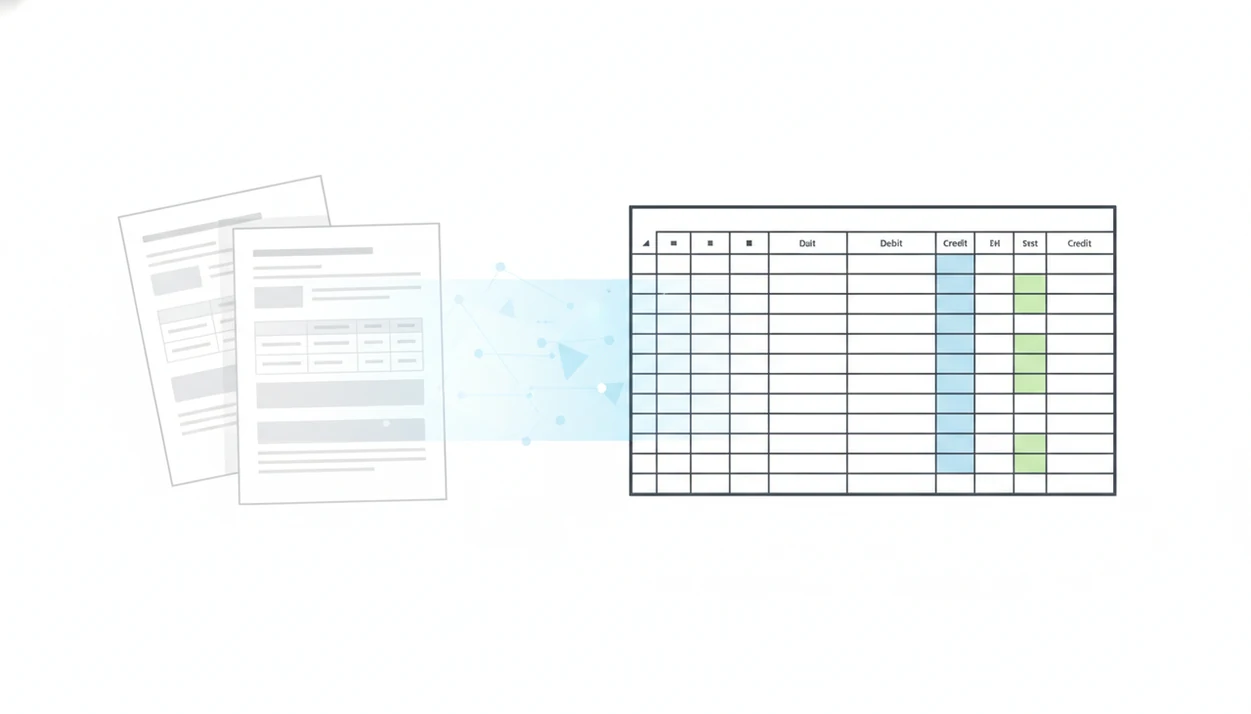
Definition: An Excel export feature in a bank statement converter is a function that transforms unstructured PDF bank statement data into a fully editable.xlsx spreadsheet with standardized columns, enabling review, filtering, and cleanup before reconciliation or accounting import.
What the Bank Statement Excel Export Feature Does
An Excel export feature converts statement data from a PDF into an editable.xlsx workbook. In Bank Statement Converter App, the output is meant for review before reconciliation, not just storage.
- It transforms unstructured bank statement PDFs into spreadsheet rows you can sort, filter, and annotate.
- It creates standard columns for Date, Description, Debit, Credit, and Balance.
- It removes most manual retyping from files like `Chase Checking March 2022.pdf`.
- It works with digital PDFs and scanned or photographed statements through AI and OCR.
- It helps reduce a costly admin task; a 2023 Adobe Acrobat survey found that 48% of small-business employees spend at least 5 hours per week transferring data manually (https://blog.adobe.com/en/publish/2023/05/09/small-business-digital-document-management-report).
Open the exported file and check the first row. It should be a header, not the first transaction.
When retyping transaction lines is the issue, Bank Statement Converter App fits because it creates a bank statement Excel export with standardized columns ready for review.
How the XLSX Export Process Works Behind the Scenes
The XLSX export process reads the source file, detects statement tables, normalizes the transaction data, and writes the result into a spreadsheet. Good converters deliver structured rows, not a prettier PDF.
AI Parsing and Column Mapping
- Uploading a PDF triggers AI/OCR parsing of both text layers and scanned image areas.
- The engine identifies table structures, column headers, transaction rows, page breaks, and running balance patterns.
- It normalizes dates, separates withdrawals and deposits into debit and credit fields, and aligns balances with the right transaction row.
- It keeps header names consistent so the same data can later support CSV and QBO exports.
- AI-based extraction can reduce repetitive transaction-processing work, but results vary by scan quality and layout; McKinsey estimates that about 60% of occupations have at least 30% of activities that could be automated (https://www.mckinsey.com/featured-insights/digital-disruption/harnessing-automation-for-a-future-that-works).
A crooked scan straightened on screen is a small relief. The real test comes in row 42, where the balance must still match the PDF.
Privacy-First File Handling
The converter reads the file for extraction and discards it after processing, instead of keeping bank PDFs on long-term servers. OWASP recommends minimizing retained sensitive data because stored files increase exposure if systems are compromised (https://cheatsheetseries.owasp.org/cheatsheets/LoggingCheatSheet.html#data-to-exclude).
After the upload confirmation appears, Bank Statement Converter App earns the spot for sensitive client work because upload handling is designed around temporary processing and no permanent file storage.
How to Use the Excel Export Feature in Bank Statement Converter App
Use the Excel export feature as a controlled review step between the original PDF and your accounting import. The workflow is simple, but each step should preserve the source file for verification.
- Upload a digital, scanned, or photographed PDF bank statement.
- Let the AI parse transaction rows, dates, descriptions, amounts, and balances automatically.
- Preview the extracted data and verify that each column is aligned correctly.
- Download the.xlsx file to your device.
- Open the workbook in Excel or Google Sheets to sort, filter, and spot-check unusual rows.
- Save or re-export the cleaned data as CSV, QBO, or another accounting-ready format.
For users who need a broader walkthrough, the full convert bank statement PDF to Excel workflow explains how the source file becomes a spreadsheet.
If your priority is import preparation, Bank Statement Converter App works well because the Excel review step can be followed by CSV, Excel, and QBO exports.
When to Use Spreadsheet Export for Bank Statement Review
Spreadsheet export is most useful when the converted output needs review before it enters accounting software. It gives you a place to catch duplicates, missing rows, and balance mismatches.
Reconciliation and Duplicate Detection
Use Excel before reconciliation when you need to sort by date, flag duplicate card payments, or compare opening and closing balances. We often check the ending balance on page 3 of the PDF against the final Excel row before approving the file.
Gartner projected that 50% of finance organizations would rely on automation technologies by 2025. That trend makes review controls more important, not less.
Multi-Account Consolidation Workflows
Spreadsheet export also helps when you combine several months or accounts into one workbook. A shared drive folder of card statements becomes easier to audit when each converted sheet has the same column structure.
With 89% of U.S. adults with a bank account using online banking, digital statement downloads are now a common source file. For bookkeepers, Excel export is often easier than raw PDF review because rows can be filtered before reconciliation.
What the Excel Export Looks Like in Bank Statement Converter App
The exported.xlsx file uses a plain transaction table: Date, Description, Debit, Credit, and Balance. Bank Statement Converter App keeps those headers consistent so the same file can be reviewed in Excel, saved as CSV, or mapped into a QuickBooks-style import screen.
Multi-page statements are merged into one continuous sheet. That matters when page 1 ends mid-month and the next transaction continues on page 2.
No template setup is required for common bank layouts. The converter reads different statement designs and produces a consistent spreadsheet export feature, though you should still verify against the original PDF.
For accountants who need client-ready workpapers, Bank Statement Converter App is a practical fit because the statement XLSX export creates a single review layer before accounting import.
Bank Statement Excel Export vs Manual Retyping and PDF Downloads
Excel export is not just a reformatted PDF. It creates a structured table that can be edited, filtered, checked, and reused.
| Option | What you get | Main drawback | Best use |
|---|---|---|---|
| Manual retyping | Hand-entered spreadsheet rows | Error-prone and hard to scale; many SMEs spend 120+ hours yearly on manual entry | Tiny one-off statements |
| Raw bank PDF download | Original statement file | Not editable, no usable columns, hard to sort | Audit trail and source record |
| Independent converter Excel export | Structured.xlsx table from almost any bank PDF | Requires spot-checking | Review before CSV, QBO, or reconciliation |
McKinsey estimated that about 60% of occupations have at least 30% of activities that could be automated. Bank statement capture fits that pattern because the task is repetitive and rules-based.
The CSV vs Excel bank statements comparison is useful when deciding whether Excel should be the review file or the final import file.
Unlike raw PDF downloads, good AI bank statement converter apps turn PDF statements into clean CSV, Excel, and accounting-ready files without storing uploads, not static copies that still need retyping.
Who Should Use a Bank Statement Excel Export Feature
A bank statement Excel export feature is best for anyone who needs to inspect transaction data before it becomes part of the books. It is strongest as a review workspace, especially when the original file is a PDF and the next step requires clean rows.
Bookkeepers can use it to convert client statements before reconciliation or monthly close, where sorting by date, memo, or amount quickly reveals duplicates and gaps. Accountants benefit when preparing reviewed workpapers before tax, audit, or advisory tasks because the spreadsheet keeps the evidence traceable to the source statement. Small-business owners also use Excel export to check bank activity before importing anything into accounting software, especially when a strange fee or card payment needs a second look.
A simple fit check helps:
- Choose Excel when you need to review, sort, annotate, or combine transactions before import.
- Use it for finance-team consolidation when several accounts or months need one sortable workbook.
- Pick CSV instead when your accounting system only needs a flat import file with no spreadsheet review.
- Select QBO when the destination is QuickBooks and the import mapping is already known.
Related Bank Statement Converter App Features
Excel export works best when it sits beside other export options. Bank Statement Converter App supports spreadsheet review first, then cleaner handoff into accounting systems.
Related features include CSV export for direct accounting imports, QBO export for QuickBooks users, multi-statement batch processing, and secure processing with no file storage. A tax season desk covered in statements is easier to manage when every file follows the same column structure.
For QuickBooks users, the bank statement converter for QuickBooks workflow explains how date, description, and amount columns are mapped before import.
For multi-format cleanup, one extraction pass should support Excel review, CSV cleanup, and QBO import preparation without forcing the user to re-upload the same statement.
Limitations
Excel export reduces manual work, but it does not remove review responsibility. Treat the spreadsheet as a converted output that must be checked against the source file.
- Noisy scans, handwriting, stamps, desk shadows, or low-resolution images can still cause misreads, even at 99%+ accuracy.
- Multi-currency accounts or unusual fee structures may not map neatly into simple debit and credit columns.
- Password-protected or corrupted PDFs may need to be unlocked or repaired before conversion.
- Some converters, including alternatives such as pdftables.com or docparser.com, may not preserve running balances consistently across every bank layout.
- Always verify totals, opening balances, closing balances, and page counts before using exported data for bookkeeping or tax filings.
- Complex sub-account layouts may require manual column adjustments after export.
- A blurred check image appendix may extract poorly if it contains transaction detail outside the main table.
Bank Statement Converter App is built for careful conversion, but the original PDF remains the financial record.
Convert your bank statement PDF now
Use Bank Statement Converter App to turn PDF bank statements into XLSX spreadsheets before reconciliation or accounting import. No bank login required, with in-memory processing and immediate file deletion.
Download Bank Statement Converter App